Voucher Connect now supports Dynamic Event Categories
Smart, self-updating event pages that automatically show customers events based on time periods such as Today, Tomorrow, This Week, Next Month, and more.
These pages require no manual updating. As time moves forward, the event lists update themselves. This gives you powerful new ways to share timely, relevant offers and drive more engagement.
What Are Dynamic Event Categories?
Dynamic Event Categories are special URLs that filter and display your events based on the customer’s current date. For example, if a customer visits your “Today” link on a Monday, they’ll see all Monday events. On Tuesday, the same link will automatically show Tuesday’s events — without you needing to change anything.
Available categories:
- Today
Shows all events happening today https://yourstorenamehere.voucherconnect.com/events/today
- Tomorrow
Shows all events happening tomorrow https://yourstorenamehere.voucherconnect.com/events/tomorrow
- Next Week
Events for the upcoming full week https://yourstorenamehere.voucherconnect.com/events/next-week
- This Month
All events happening in the current month https://yourstorenamehere.voucherconnect.com/events/this-month
- Next Month
Events planned for the next calendar month https://yourstorenamehere.voucherconnect.com/events/next-month
- This Weekend
Automatically shows events for the nearest Friday–Sunday https://yourstorenamehere.voucherconnect.com/events/this-weekend
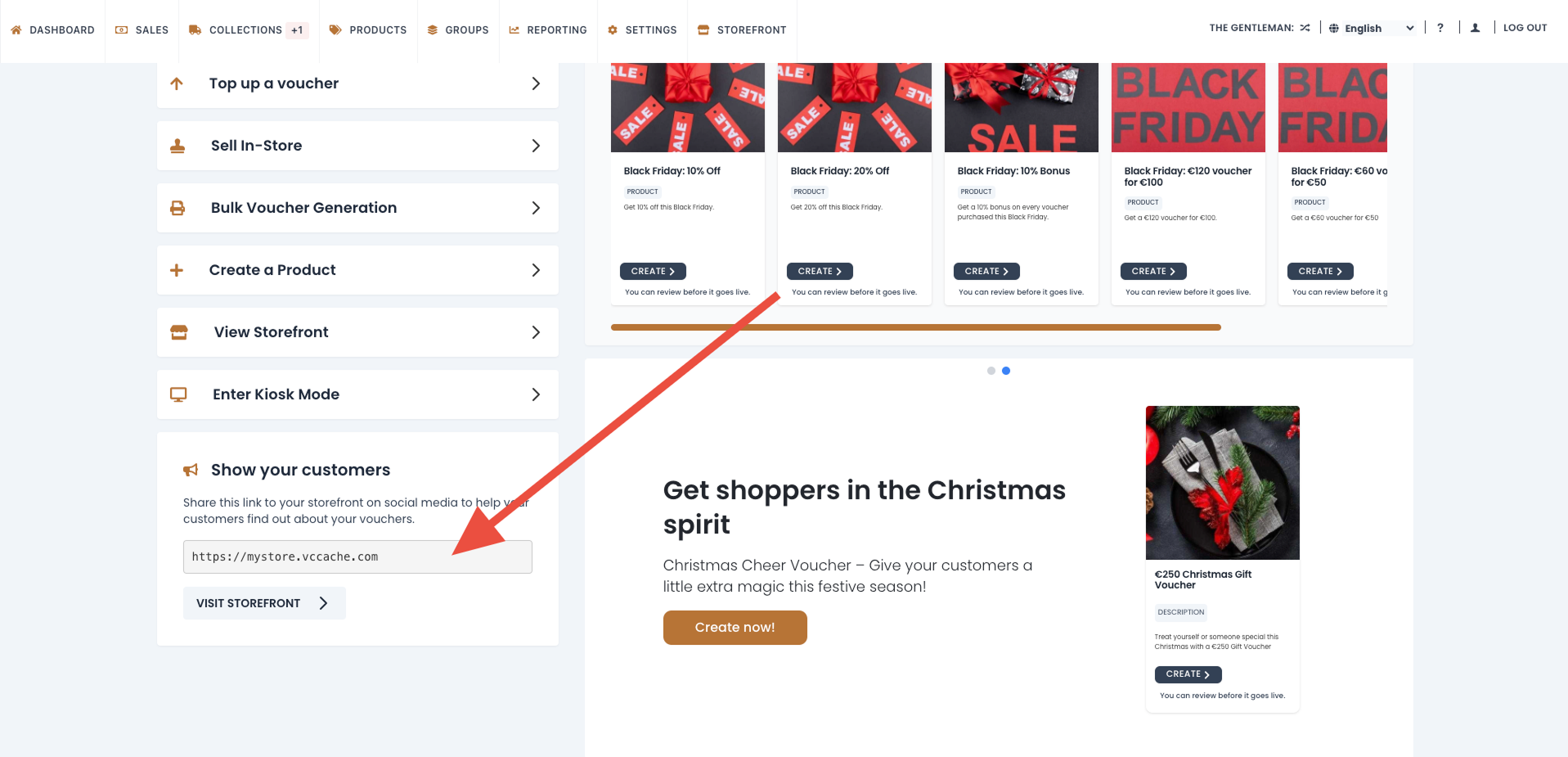
Just replace yourstorenamehere with your actual Voucher Connect domain.
You can find this link on your dashboard
Why This Feature Is Valuable
Dynamic Event Categories remove effort and create more opportunities to promote your events effectively:
Set-and-forget event marketing
Once you start using these links, they never need to be updated. Events appear and disappear automatically as the dates roll over.
Cleaner user experience
Customers land directly on the events they want — no clicking around or navigating a long list
Higher conversion rates
When people see events that are immediately relevant, they are far more likely to book or purchase.
Great for recurring or last-minute promotions
Perfect for businesses with changing daily or weekly schedules (restaurants, activity centres, attractions, classes, tours, etc.).
Ideas & Use Cases
1. In-Store Signage With QR Codes
Create signs such as:
“What’s on Today? Scan here!”
→ QR code pointing to /events/today
Works well for:
- Lobbies
- Hotel concierges
- Retail counters
- Activity reception desks
- Visitor centres
2. Promotional Posters or Digital Screens
Show messages like:
- This Weekend’s Events
- This Week’s Specials
- Next Month’s Highlights
Each poster or screen can include a QR code linking to the relevant dynamic category page.
3. Website Navigation
Add menu items such as:
- Today’s Events
- This Week
- This Weekend
- Next Month
These links always stay current without any extra work from your team.
4. Email & Newsletter Footers
Include simple, evergreen links like:
- View Today’s Events
- See What’s On This Weekend
- Plan Ahead for Next Month
This keeps your regular campaigns fresh without constantly re-editing links and content.
5. SMS / WhatsApp / Messenger Marketing
Send short, action-driven messages, for example:
“Want to know what’s happening today? Tap here.” → Link to /events/today
Ideal for last-minute availability pushes or flash promotions.
How to Start Using Dynamic Event Categories

- Decide which categories make the most sense for your business (Today, This Weekend, Next Month, etc.).
- Replace yourstorenamehere with your actual Voucher Connect domain, for example: https://myshop.voucherconnect.com/events/this-weekend
- Add these links wherever customers interact with your brand (signage, website, emails, social, etc.).
- From that point on, the pages update automatically as time moves forward.