Our Clover app is now published in the EU marketplace and will soon be available in the US & Canada.
Clover POS Systems: Effortlessly Managing Your Business
Clover’s powerful POS systems are built to effortlessly handle the ever changing parts of your business.
Clover’s solutions help you manage daily tasks, regardless of where your business is at. From accepting payments to organising inventory.
Get our App from Clover App Marketplace
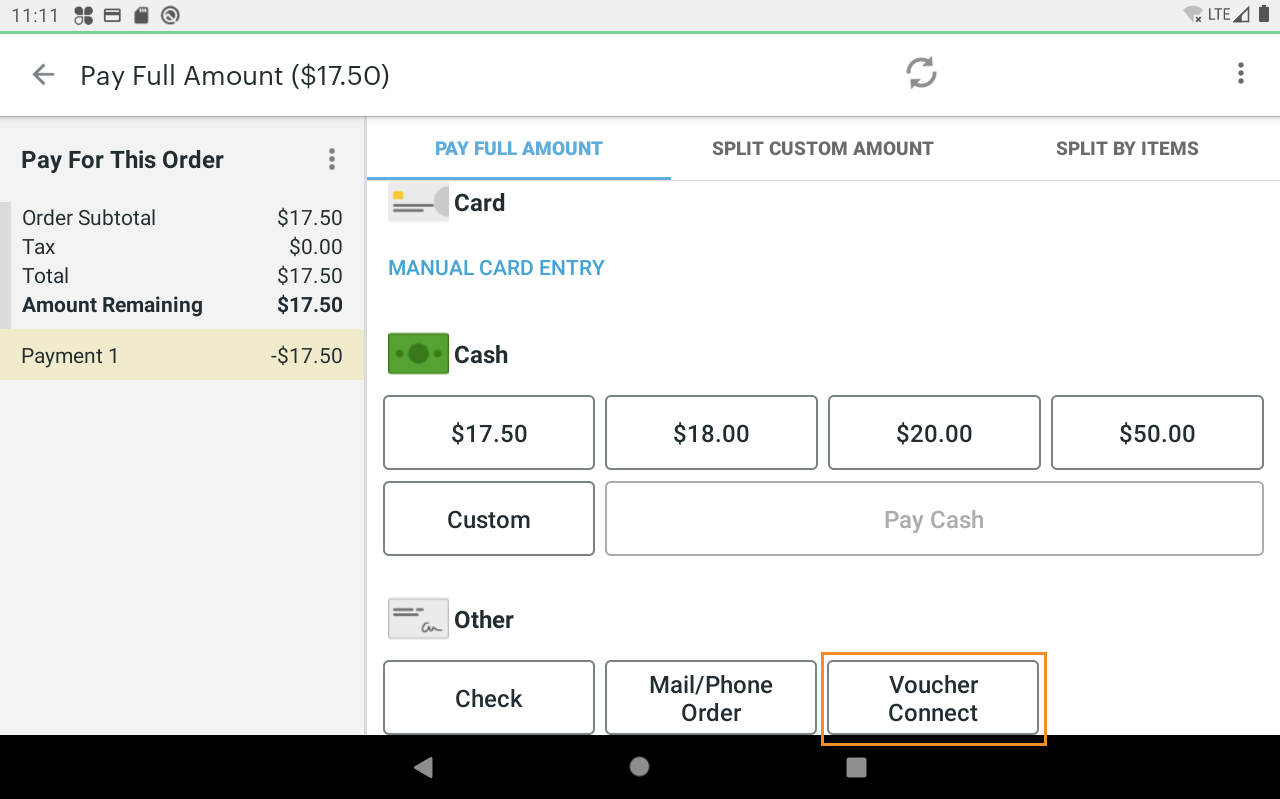
Our integration works by creating a Voucher Connect payment type on your Clover terminal.
From here you can scan voucher codes using the camera and instantly redeem and close the bill.
Allowing you & your team to concentrate on service and save time on voucher admin.
You can get our app directly from the Clover App Market. Our integration works with most Clover hardware models.
New to Voucher Connect?
Do you want to sell gift vouchers and special officers directly from your website?
If you aren’t already with Voucher Connect then you can get setup within 5 minutes.
Once your account is ready, link it out from your website to start selling online.
Voucher Connect works by plugging into your website and enabling you to sell gift vouchers, special offers, tickets and more!
Existing Voucher System?
No problem, contact us if you would like to talk to us about importing your existing voucher database and enable redemption with our integration.
Streamline Your Gift Voucher Systems
Our Clover App allows you to verify and redeem gift vouchers instantly, saving you precious service time and drastically reducing voucher administration. Once you have connected to our Clover app, you will be able to verify and redeem vouchers in seconds.
Ready to Connect?
Our 4-step guide will bring you through the connection process in no time.
How to integrate Lightspeed (L-Series) with Voucher Connect
This article provides a detailed walkthrough for integrating your Lightspeed account with your Voucher Connect store.
Step 1:
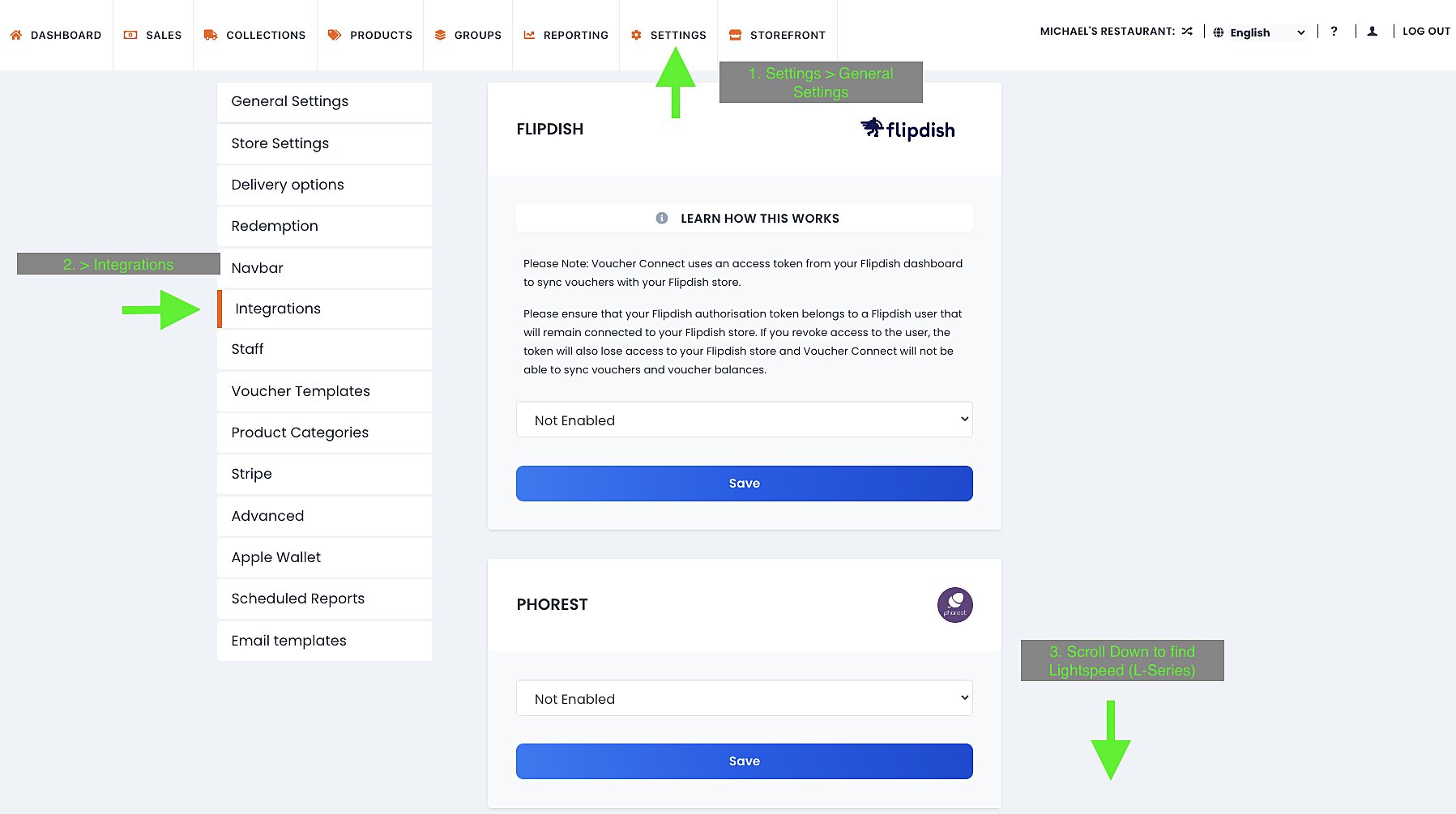
Login to your Voucher Connect dashboard on desktop.
Navigate to Settings > General Settings > Integrations > Lightspeed (L-Series).
Confirm integration language in the dropdown.
Confirm integration is set to enabled in the dropdown.
Click Connect

Step 2:
Click Connect & enter your Lightspeed credentials.

Once you have connected your Voucher Connect and Lightspeed L-Series accounts we must wait for Lightspeed to activate the Voucher Connect button in your POS payment screen .
This will take 72 hours approx. Please contact us directly if you do not see the new Voucher Connect button after this time.
Where to find your group member redemption report.
As you are a member of a group, you will have access to the Groups dashboard 🤗
Here you will be able to view the redemptions from the groups you are a member of.
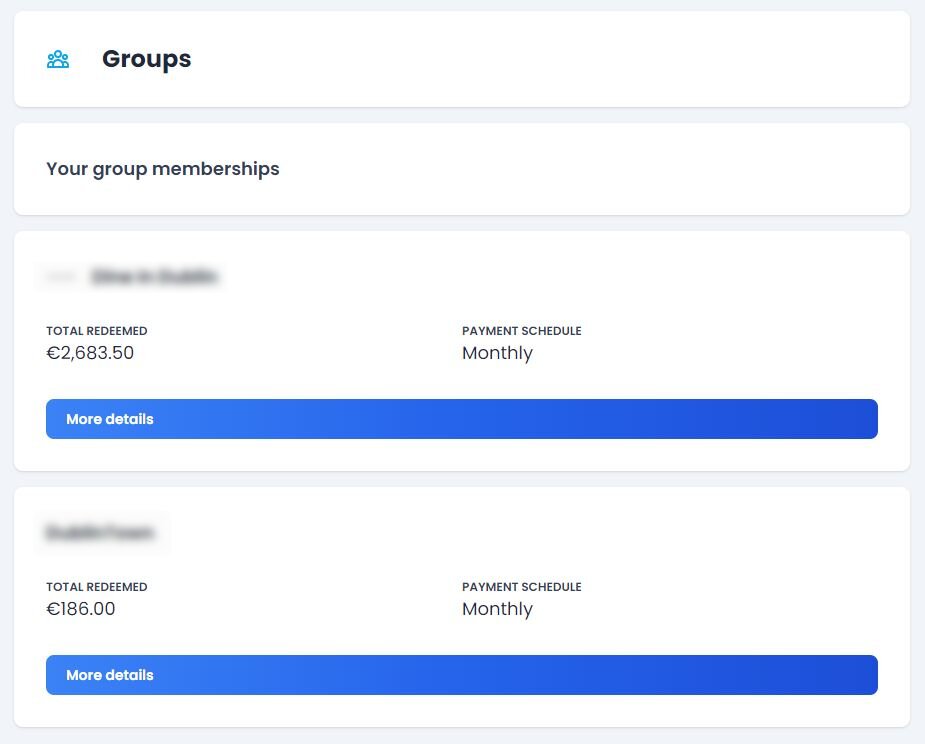
- To find your Groups Dashboard, login to your Voucher Connect account.
- On the main top menu, click Groups.
- Next you will see the groups in which you are a member of.
- Click More Details under the group you would like to view.
- From the left hand menu, click Redemptions of Vouchers.
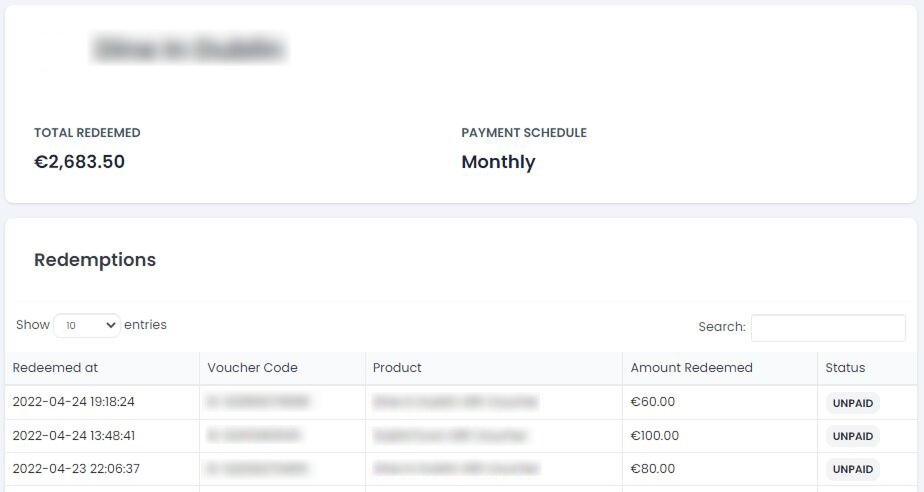
Here you will be able to view your total voucher amount redeemed, payment schedule and redemption details for each voucher redeemed, making it super easy to track what payments are due.
If you have any questions, just let us know. We’re always happy to help 😃
How to view your payout details and schedule.
As you are a member of a group, you will have access to the Groups dashboard.
Here you will be able to view the payouts from the groups you are a member of.
- To find your Groups Dashboard, login to your Voucher Connect account.
- On the main top menu, click Groups.
- Next you will see the groups in which you are a member of.
- Click More Details under the group you would like to view.

- Next, from the left hand menu, click Recent Payouts.
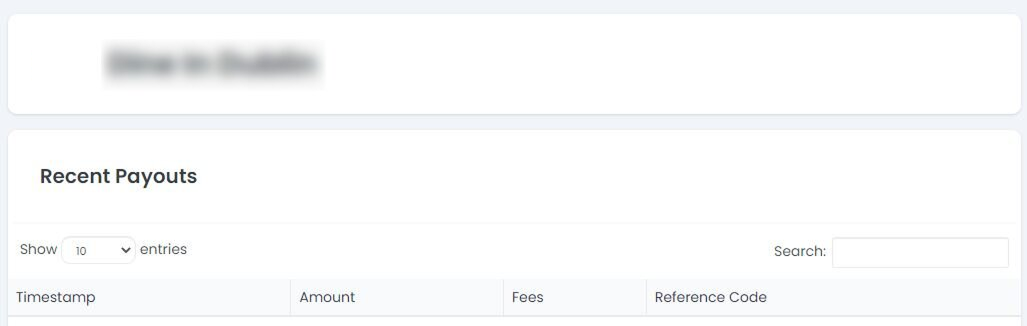
Here you will be able to view your most recent payouts from your Group.
Each payout will have a unique reference code.
If you have any questions, just let us know. We’re always happy to help 😃