
Linking Shopify to your Voucher Connect Store
Shopify Link up
First, you’ll need a Shopify account – www.shopify.com/signup
- Once your account has been created, you will need to enable the private app development setting;
-
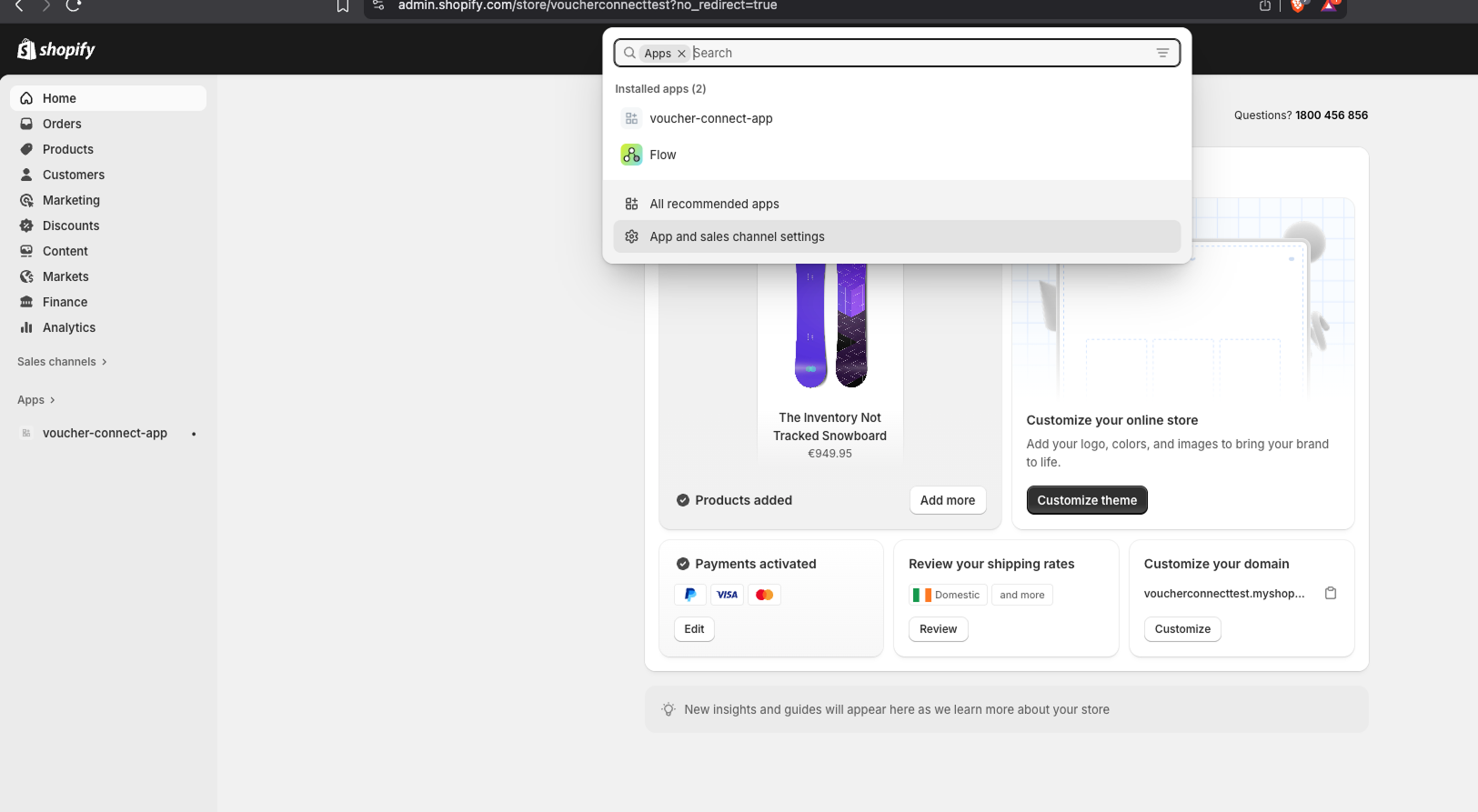
From your Shopify admin, go to Settings > Apps and sales channels.
-
Click Develop apps.
-
Click Create a custom app.
-
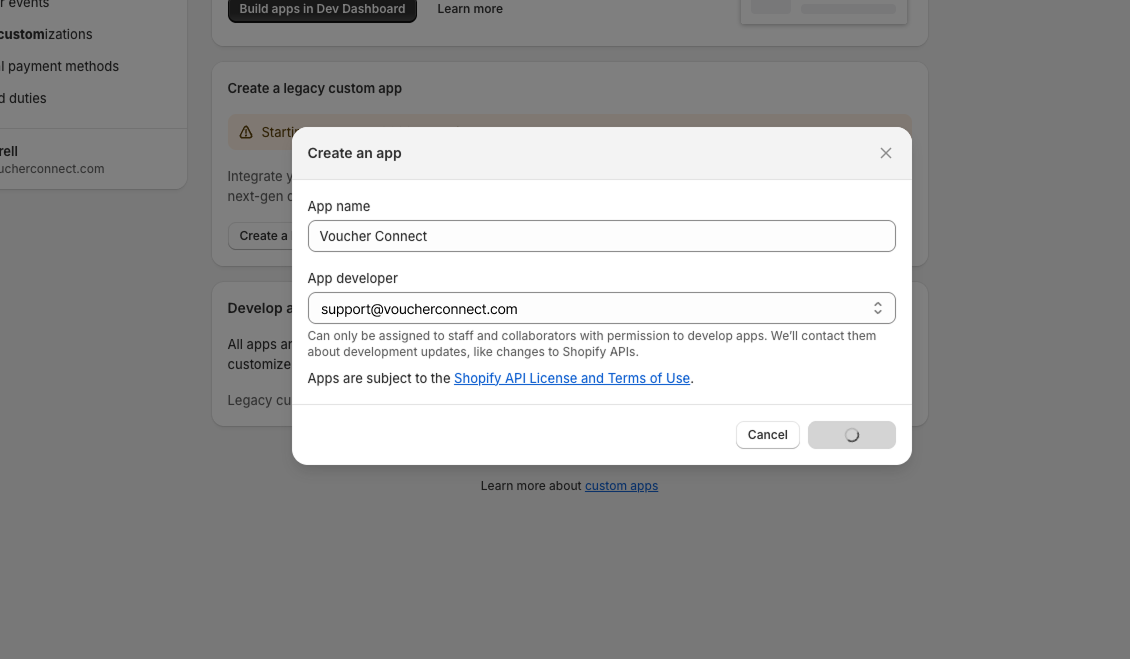
In the modal window, enter the App name and select an App developer. The app developer can be the store owner, or any staff or collaborator account with the Develop apps permission.
-
Click Create app.
- Under “Developer Email”, please enter [email protected]
Next, you need to change some permissions in order to link your Shopify account to your Voucher Connect store;
Looking at the “App development ” section, select “Configuration”
We need access to four of these permissions to move ahead – see below;
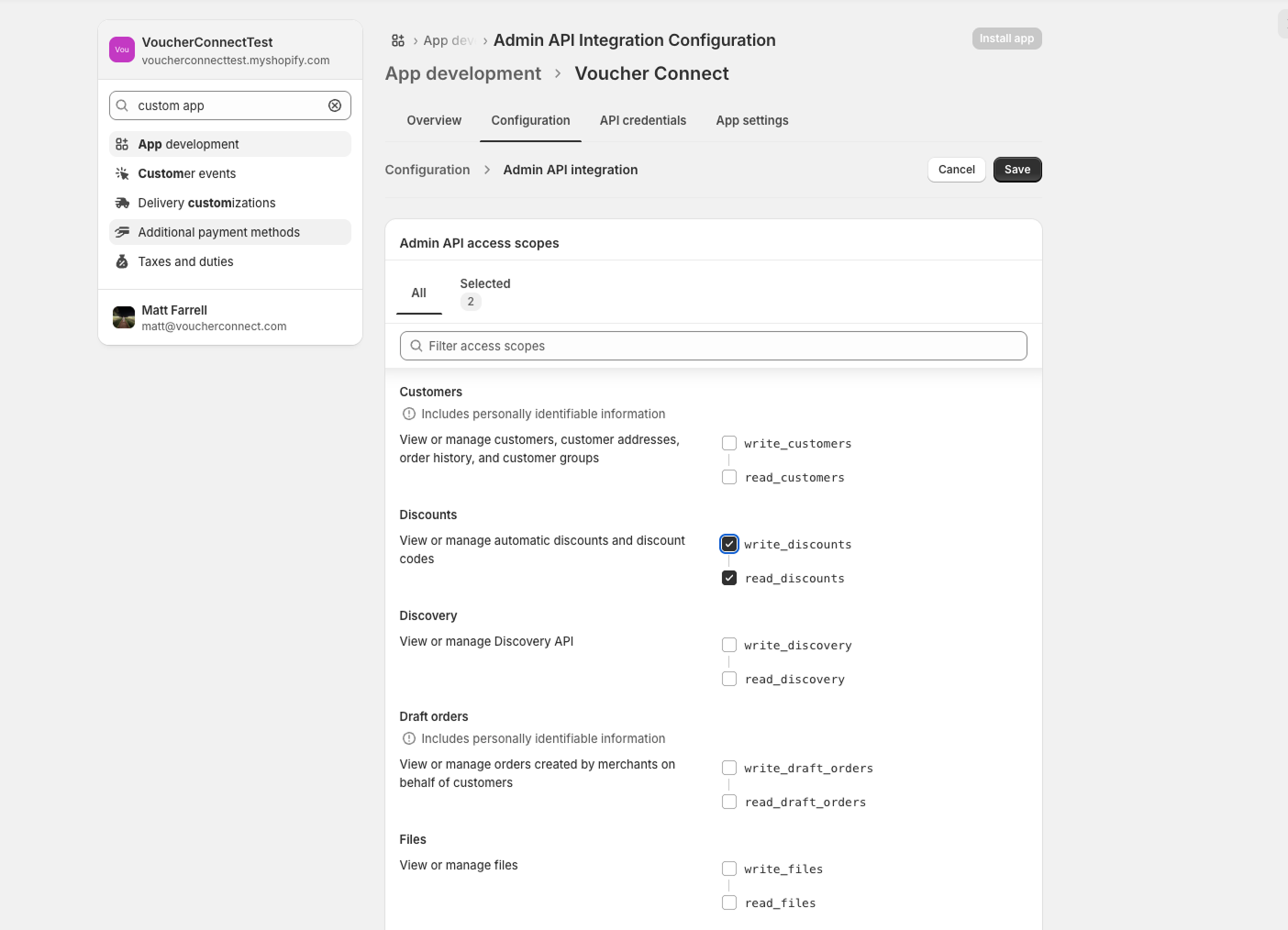
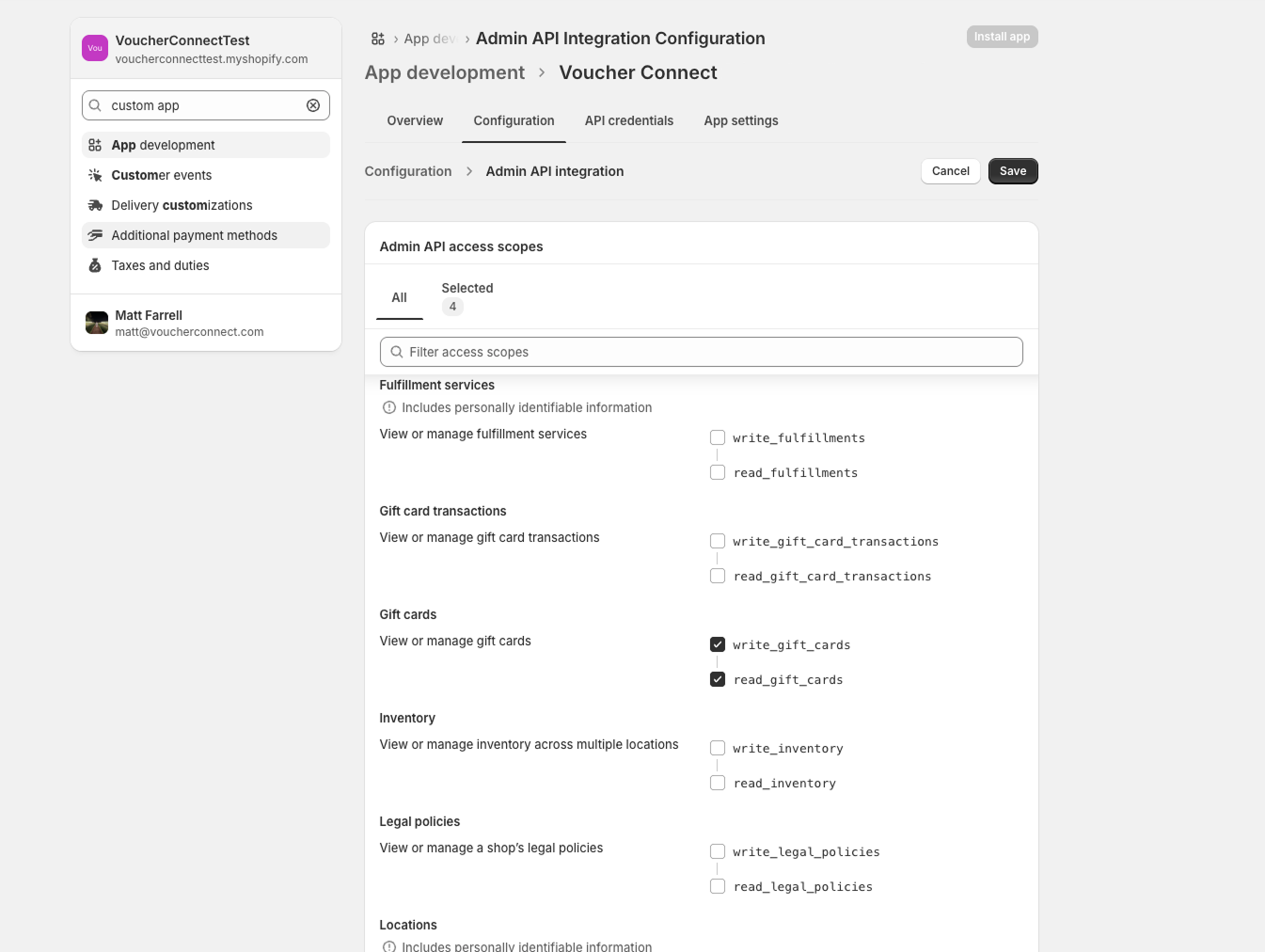
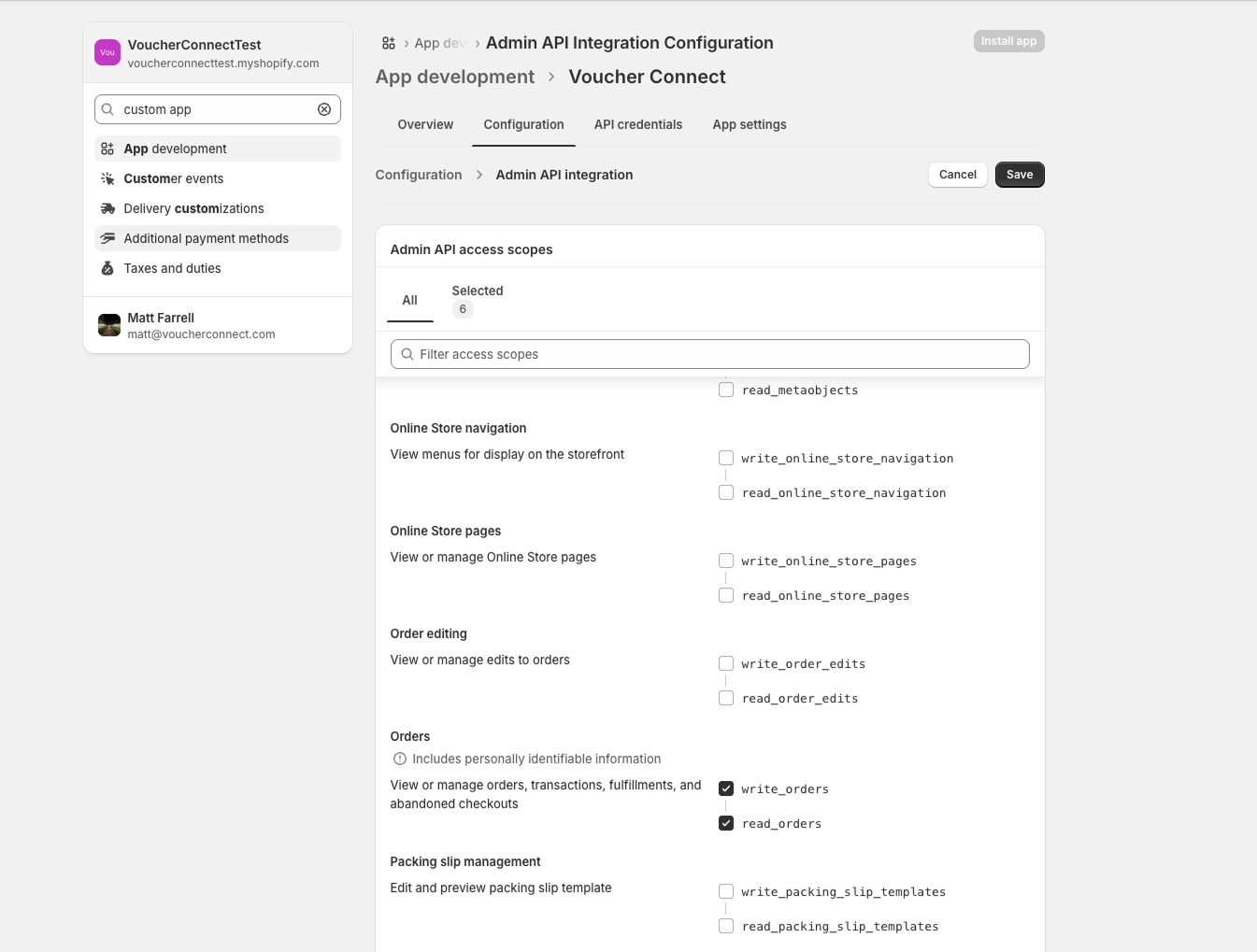
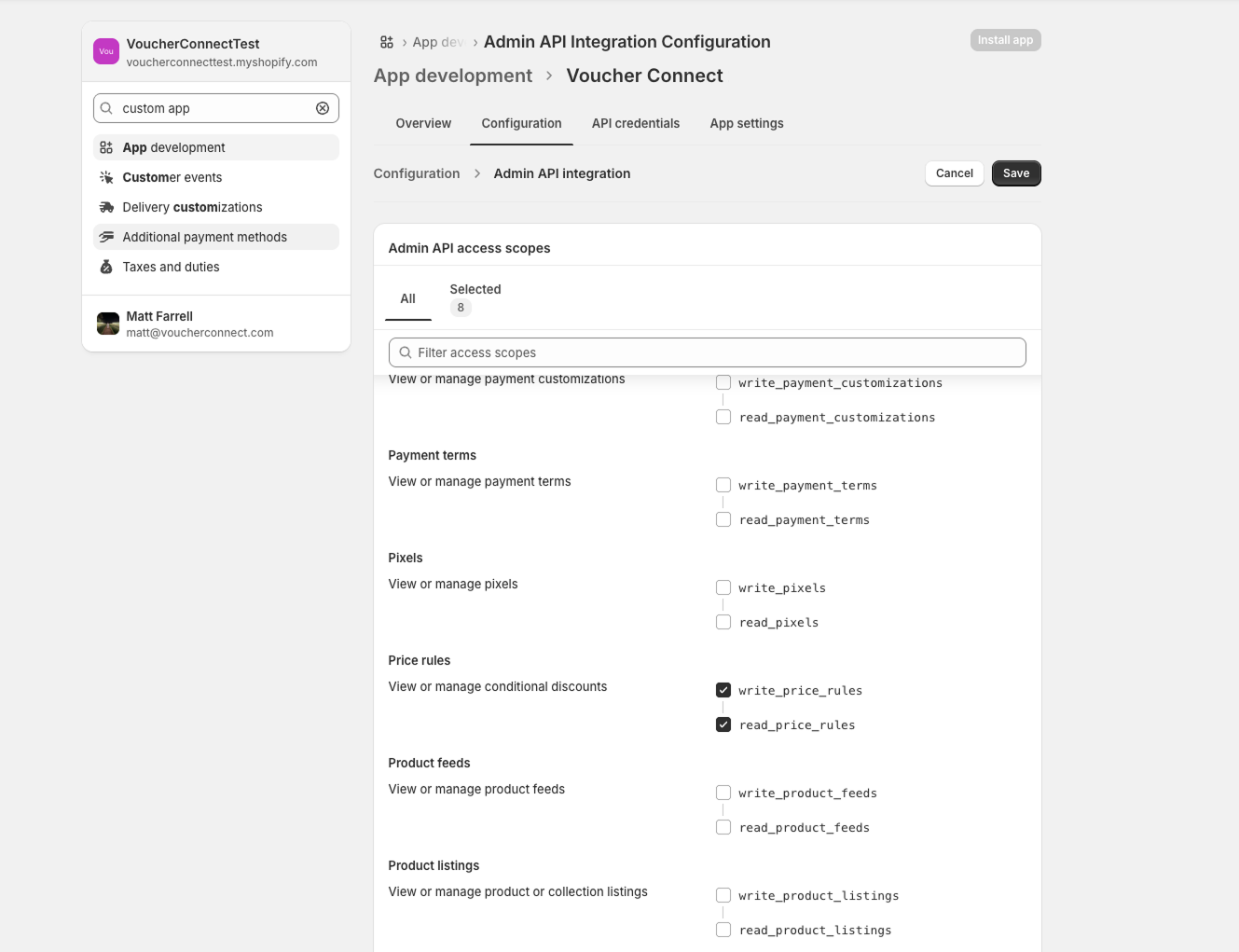
To allow link up to work, you’ll need to change the above permissions to read:
- “Discounts” – Read and Write
- “Gift Cards” – Read and Write
- “Orders” – Read Access
- “Price Rules” – Read and Write
Once you’ve saved these permissions, we need a few bits to get you linked up. You’ll find this information in the “Admin API” section:
- API Key
- Password
- Shared Secret
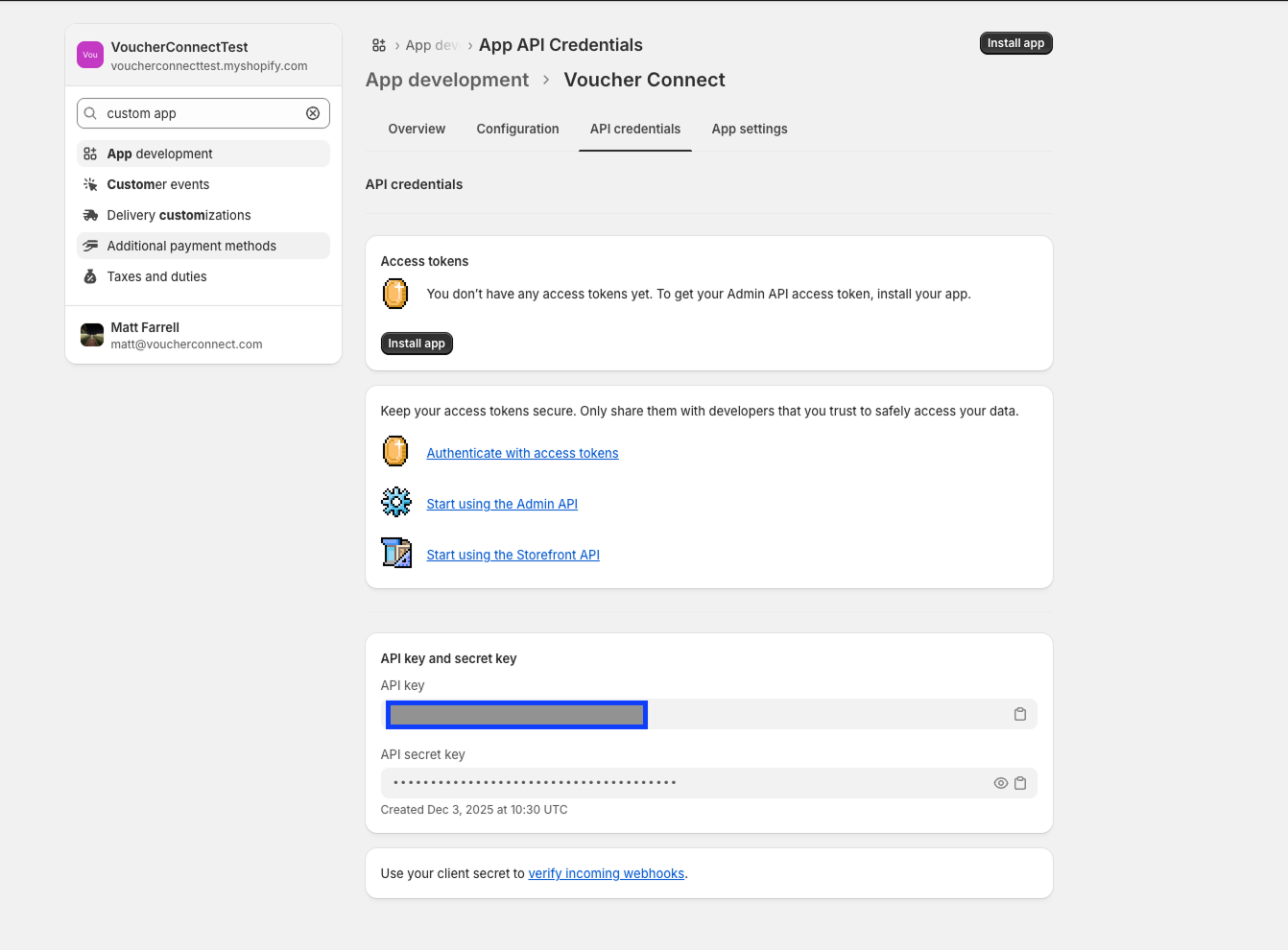
Almost there! Head back over to your Voucher Connect dashboard. Select
Settings > Integrations – scroll down to “Shopify Integration“
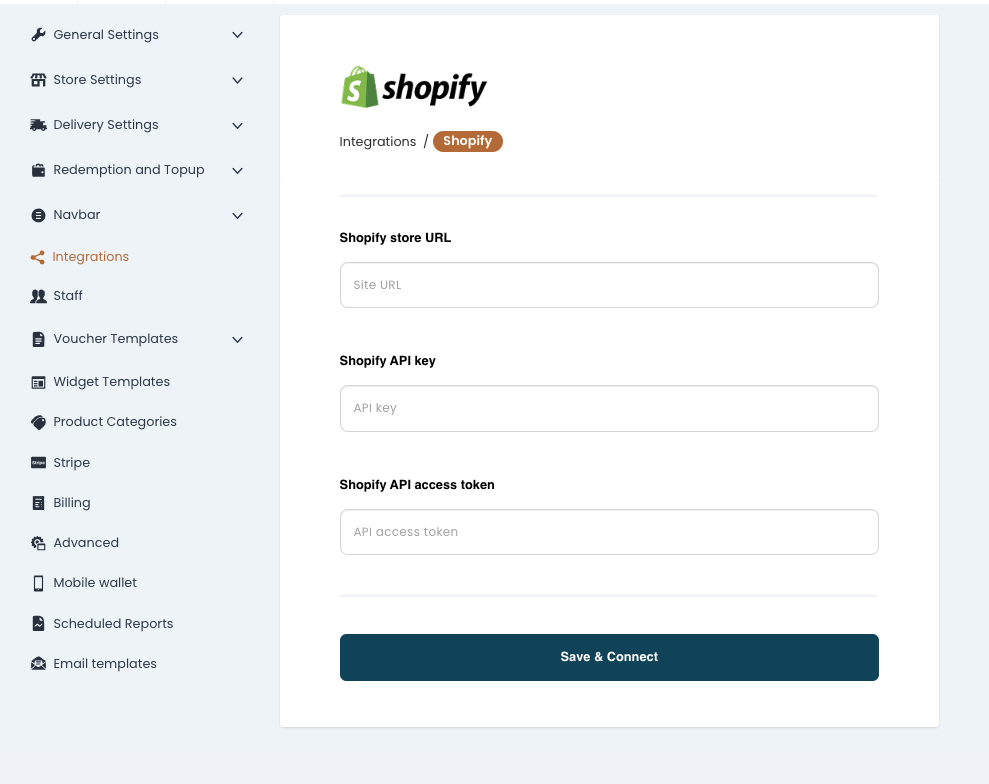
- From here, you can simply copy and paste the requested details from your Shopify account, along with your Shopify URL and hit “Save”