How to customise your Voucher Template


Giving a personalised look to your voucher is very easy. It only takes a minute.

Pop over to your Voucher Connect dashboard.

  • Click on Settings General Settings.
  • From the menu on the left, choose Voucher Templates.
  • There are two modes available in the Voucher Template settings – Easy mode and Advanced mode.

Easy mode is the quickest way to personalise your design.

  • Click on Easy Mode.
  • Upload your voucher logo and use the toggle to adjust the size. Click apply.
  • Next is the Voucher Template Customiser.
  • Here you can upload an image that will be displayed on your gift voucher.
  • You can view your voucher under Voucher Preview or even send a Test Voucher so you can see what the customer will receive.
  • You’ll get a preview of how your voucher will look. When you’re ready, you can save your changes and your new design will be used for new voucher purchases.

And that’s all there is to Easy Mode.

If you want to put a bit more detail into your Voucher Template, you can use Advanced Mode.

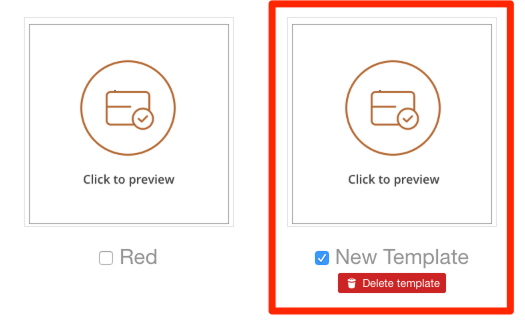
Here you can choose from a range of templates to use or you can upload your own template. This is a great opportunity to really show off your brand.

Click to preview each template or download a sample to customise your own template.


Here are some examples of great voucher templates:


If you need a hand creating a great, eye-catching voucher template, just let us know. We’re always happy to help 🤩
113 views

Resetting your password


Reset user password for Voucher Connect dashboard

You can’t remember your password to login to your Voucher Connect dashboard or App, no problem we ca help! A users password can be reset using the reset password link on the dashboard login page or by using the button below.

Reset Password


If you need a hand getting your password reset, just let us know 😃

159 views

You can choose the voucher amounts that are available for customers to buy.

We have preset default voucher amounts

First, login to your dashboard. 

Next, click on the Products from the main menu

Find the product that you want to add different voucher amountsto and click Edit

This will bring you to the Edit Voucher Product page where you can change all of the details of the voucher, such as the name, the description, the expiry date and more.  

To add new voucher amounts, ensure your Voucher Type is set to Dropdown.

Next scroll to Pricing. You will see all the current voucher amounts ticked.

You can add extra voucher amounts by entering the value, then clicking Add.


That’s it, you’re good to go!

If your voucher product is set to Dropdown, then your customers will be shown a list of voucher amount options in a dropdown list that looks like this:

I hope that helps. If you have any questions, just let us know. We’re always happy to help 😃

167 views

Postal Delivery Gift Cards


We offer high quality physical voucher cards customisable with your store’s logo.

In addition to sending your vouchers via email, we offer physical credit card-sized plastic vouchers customisable with your store’s logo. Printed and shipped the next day after purchase, we do it all for you.

Card Design

It only takes a moment to customise your voucher card with an image of your choice via your storefront’s settings. Simply upload an image and save the settings.

Preloaded

If you like, you can buy physical cards which are pre-loaded with a balance. You can then sell these over the counter.

Unloaded Cards

You can also buy non-loaded cards. These cards will have your store’s logo printed on them, but they will be empty. They can be topped up at any time with the VoucherConnect Mobile App (available on iOS and Android).

How does a customer order a card voucher online?

The customer can order a physical card by specifying that they want to receive a physical card at the checkout (as shown).


Delivery Date Estimate

The card is printed and dispatched the following working day.

Redeeming a card voucher

The customer can bring their card to the store for scanning at checkout. The store’s staff can use the VoucherConnect App for scanning the QR code on the card and deducting from the current balance.

Our VoucherCards are a great tangible way to gift. If you need any assistance with getting started with them, drop us a message and a member of our team will be happy to help you out.

330 views

How to Create a Custom Voucher Template

If you would like to change the design of the voucher your customers receive, you can design your own custom template using Microsoft Word.

If you have Microsoft Word installed on your computer, you can design and edit custom voucher templates. To do so, log in to your dashboard, go to Settings, and then click on the Voucher Templates tab. 

You can download a sample template by clicking on this button:

Once you’ve downloaded the sample template, open it with Microsoft Word. It will look like this:

Making simple changes

If you are only looking to amend the Terms and Conditions of your vouchers, you can edit the text as needed, and then use File > Save As to save the file with a name and location you’ll remember. 

Uploading the new voucher template to Voucher Connect

To upload the new template to voucher connect, head back to your Voucher Template tab in your dashboard settings. Click on the upload custom template button to upload your new template.

Once you’ve uploaded your new template, your store will be set to use that template for new vouchers sold, and there will be a checkmark beside the template name in the list of voucher templates. 

How to use Template Variables

In the sample template, you’ll see some phrases like $VOUCHER_LOGO$ and $PURCHASER_NAME$

When Voucher Connect is processing a voucher, it inserts information and images into the voucher template using the phrases that have $ symbols at the start and end. These are called template variables, and you can get a list of template variables here.

233 views

Get A Demo

Leave your name, phone number and email address and we will be in touch to arrange a demo.

Boost revenue by 62% ?

The gift card solution that costs less and delivers more