How to Void a Voucher Connect transaction from Lightspeed


Part A:


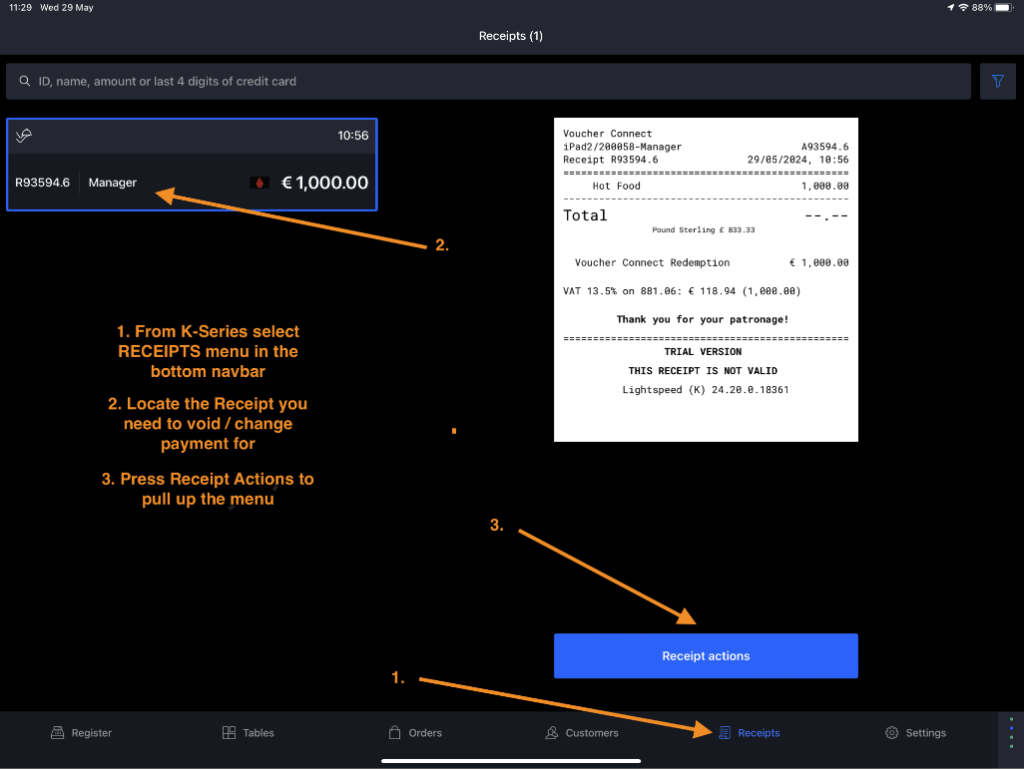
  • From K-Series select ‘Receipts’ from the bottom navbar (1)
  • Find the receipt you need to Void in the lefthand side list (2)
  • Select ‘Receipt Actions’ (3)


void vouch connect redeem lightspeed k series


Part B:

  • Select the action you need: Reopen & Refund, Refund without Reopen or Change Payment Type
  • Any of these actions will void the Voucher Connect redemption in both Lightspeed and Voucher Connect.


void vouch connect redeem lightspeed k series


Part C:

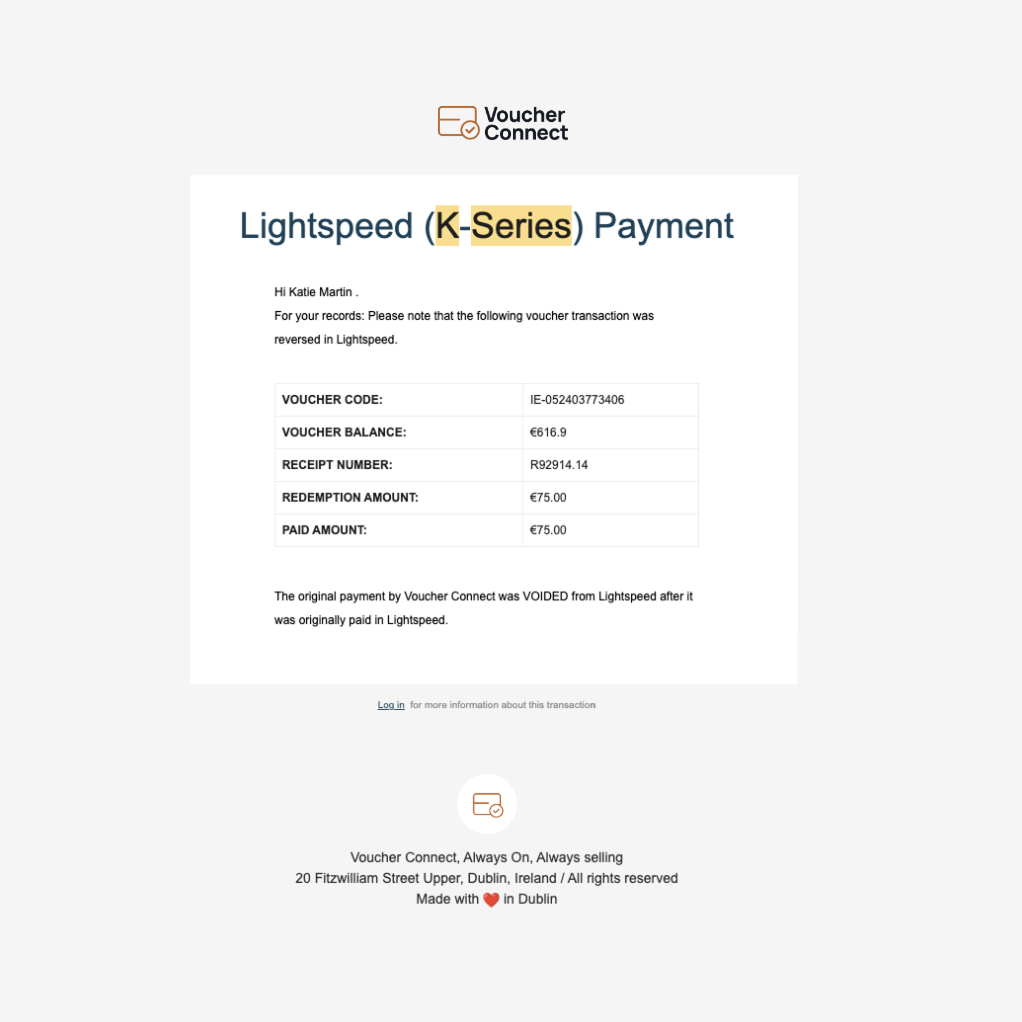
  • You will receive an email notification of the Void event – this will be send to the Voucher Connect account owner by email:


88 views

How to Check Voucher Details from Lightspeed K-Series


Part A:

  • A customer may wish to confirm their balance before dining.
  • Simply hit the Voucher Connect screen and then press the Voucher Connect button.


check voucher details lightspeed k-series 1


Part B

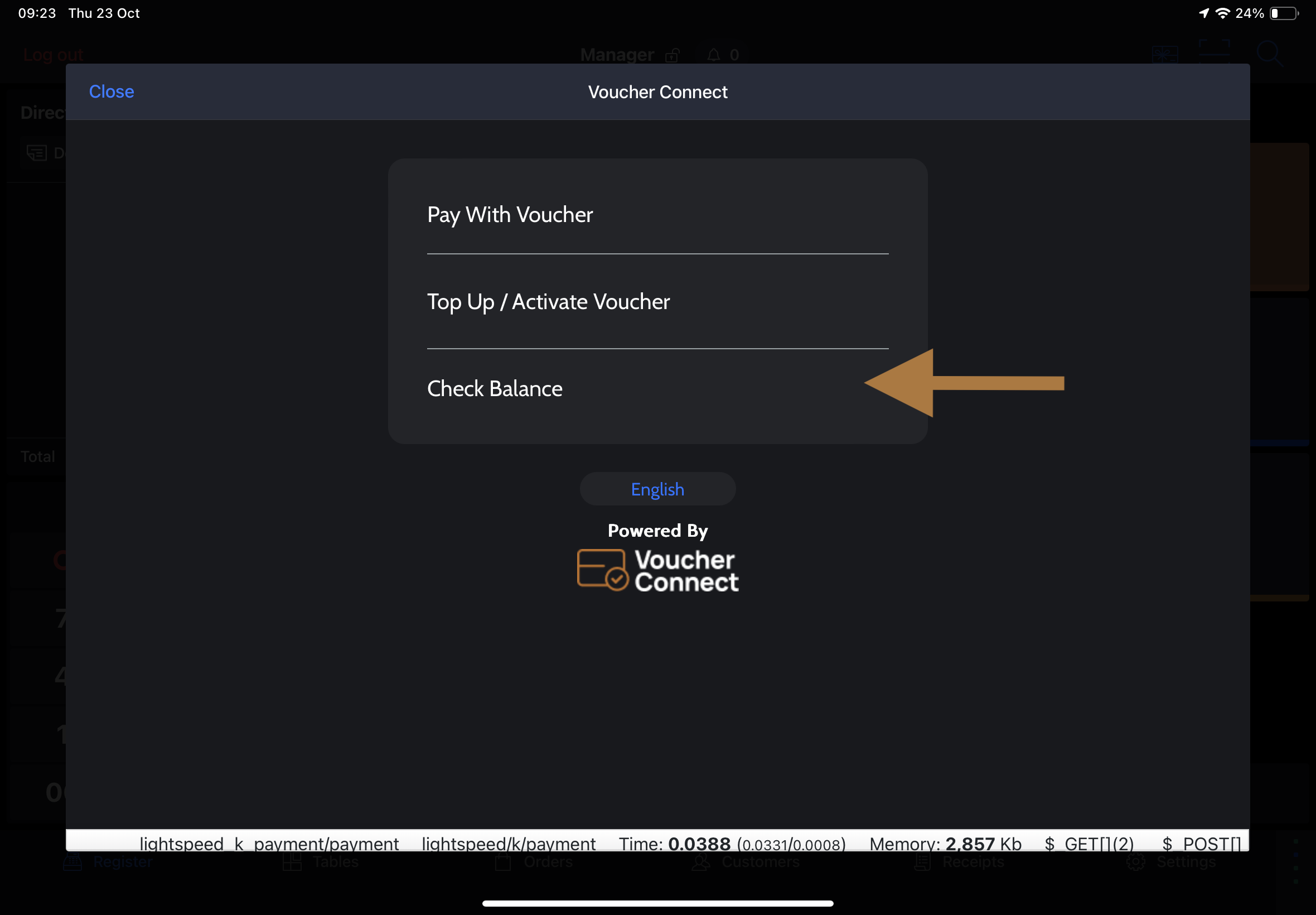
  • Select ‘Check Balance’

Part C:

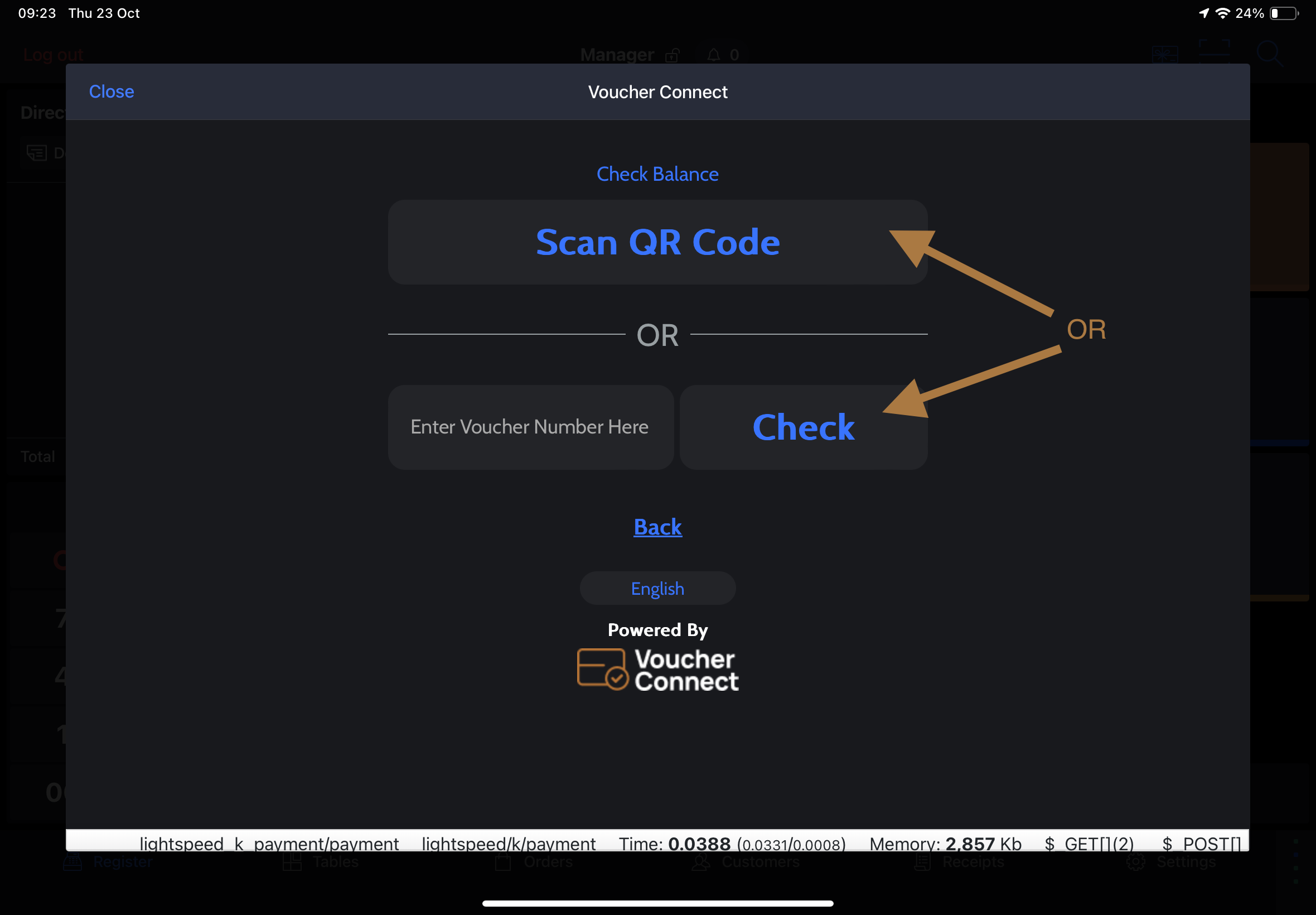
  • Scan QR Code – this will open the iPad camera. Simply scan the QR code on the Voucher to identify the Voucher details
    OR
  • Manually enter the Voucher Code
  • Select ‘Check Voucher Details’


Part D:


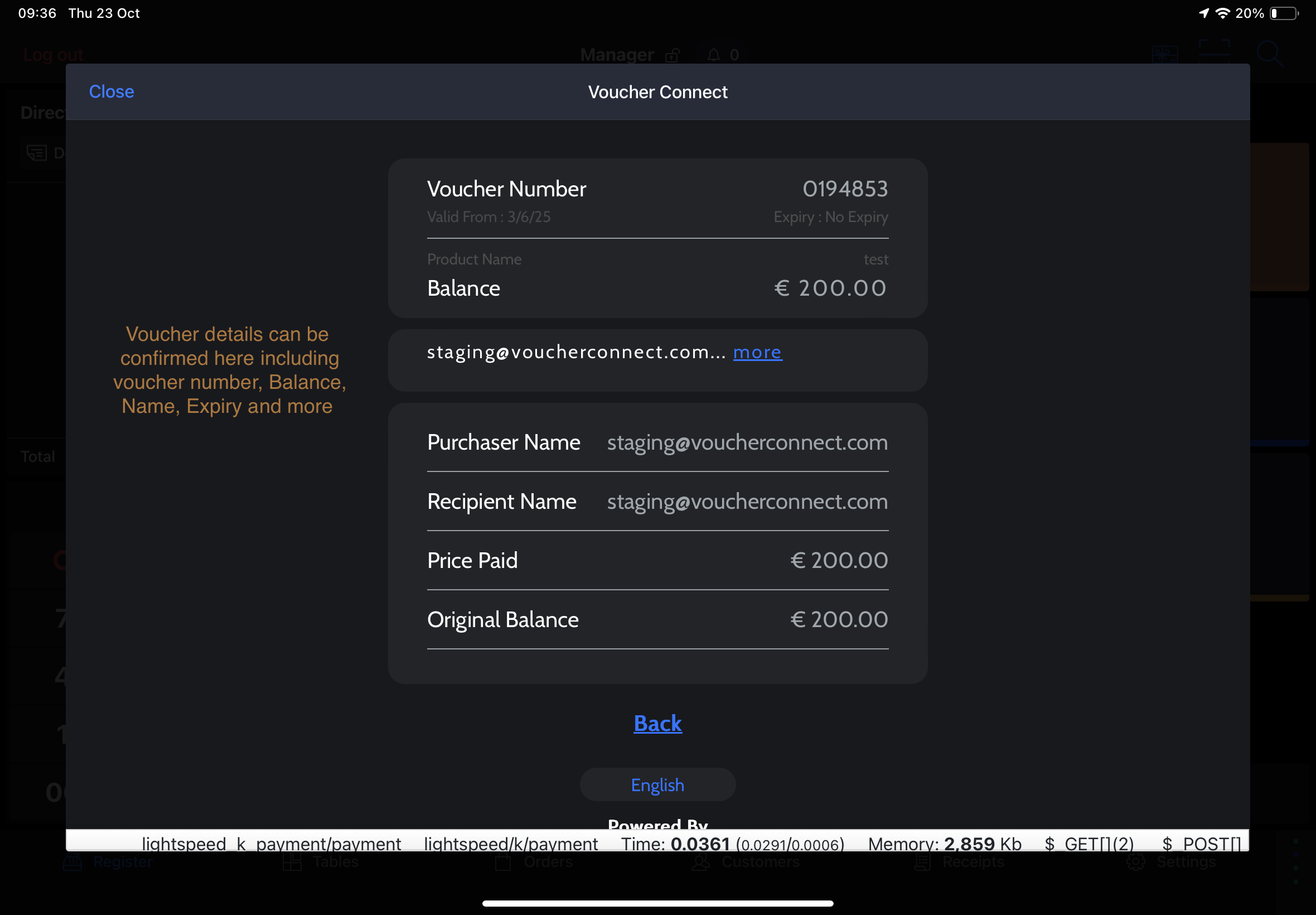
  • All voucher details will be confirm on screen

96 views

Top Up OR Sell a Gift Voucher from Lightspeed K-Series


Important Note: we have recently updated our integration to automatically add a Voucher Sale PLU to the bill. To learn more or for assistance adding this please contact [email protected] 

If you have not added a valid Voucher Sale Product ID your team will need to manually record the voucher sales after it has been completed inside the integration.  

Step A:

  • Open a new Table OR go to Direct Sale
  • Select Voucher Connect Screen


sell voucher lightspeed k 1


Step B:


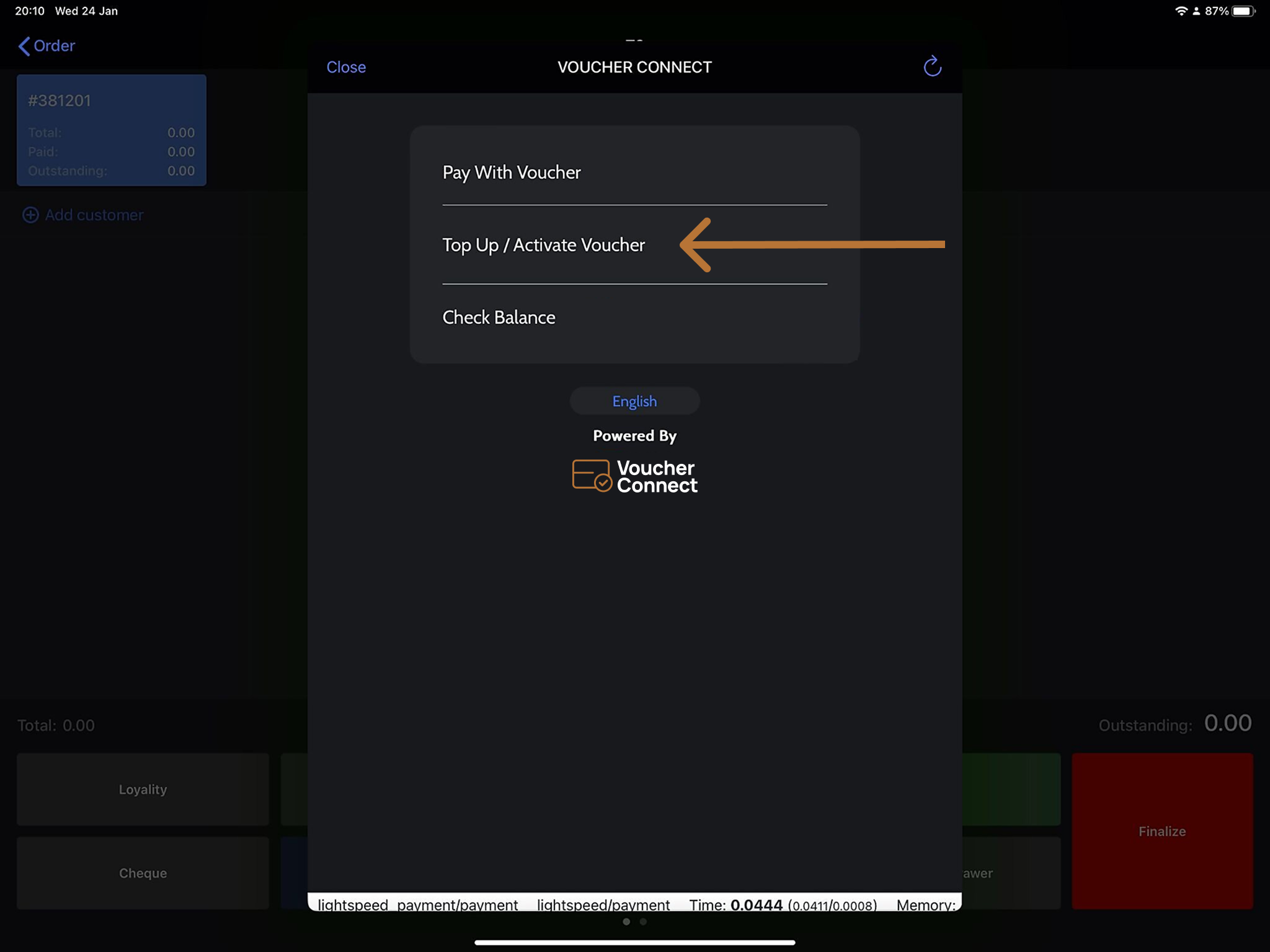
  • Select Top Up / Activate Voucher


Part C:

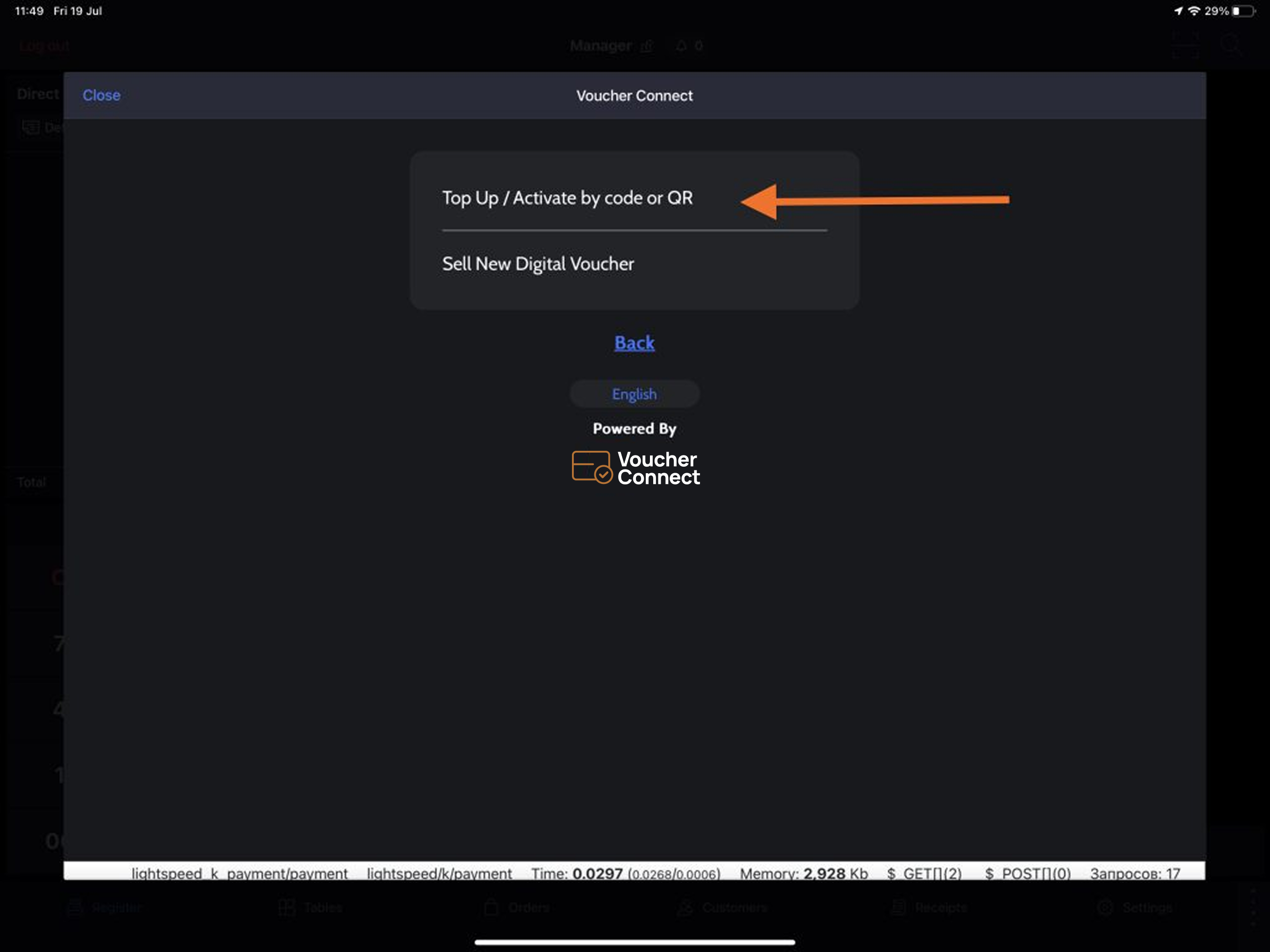
  • Select ‘Top Up / Activate by code or QR’


Part D:

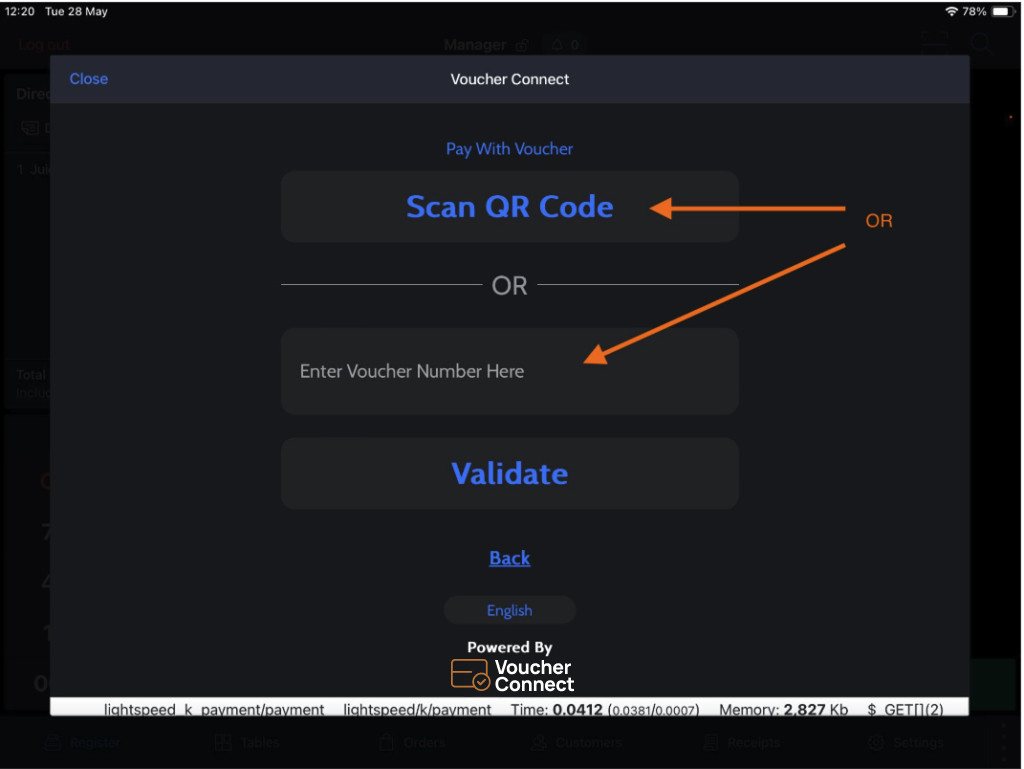
  • Scan QR Code – this will open the iPad camera. Simply scan the QR code on the Voucher to identify the Voucher details
    OR
  • Manually enter the Voucher Code
  • Select ‘Validate’


Part E:

  • Enter the Voucher Top Up / Sale amount
  • Select ‘Top Up’


Part F:

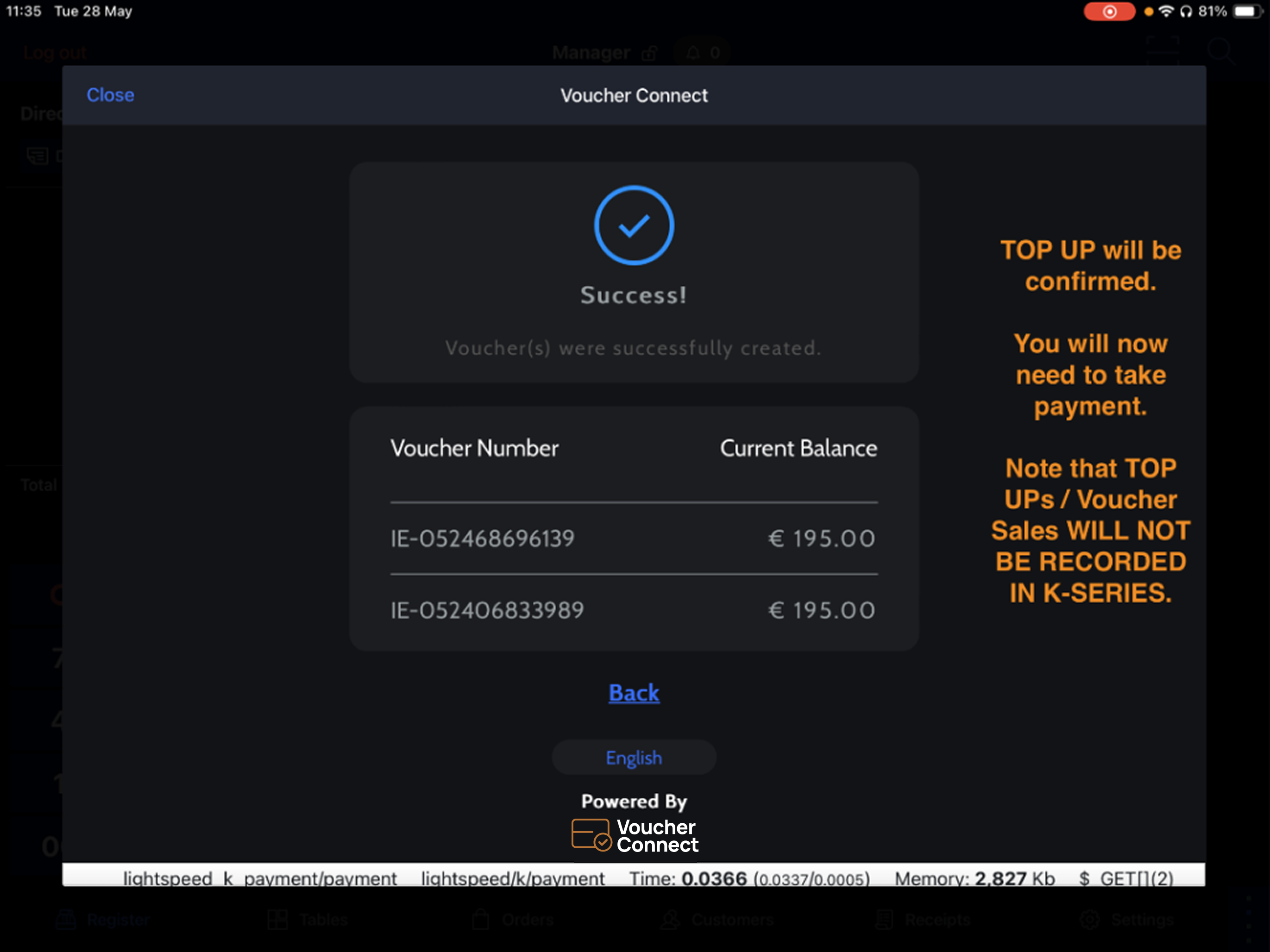
  • Confirmation Screen
  • IMPORTANT: You must now record the Voucher Sale & Take Payment


90 views

How to Redeem a Voucher from Lightspeed K-Series

Part A:

  • When the customer is ready to pay with their voucher simply hit the Voucher Connect screen (1) and then press the Voucher Connect button.
  • This will open the Voucher Connect window inside Lightspeed K-Series

redeem lightspeed k series


Part B

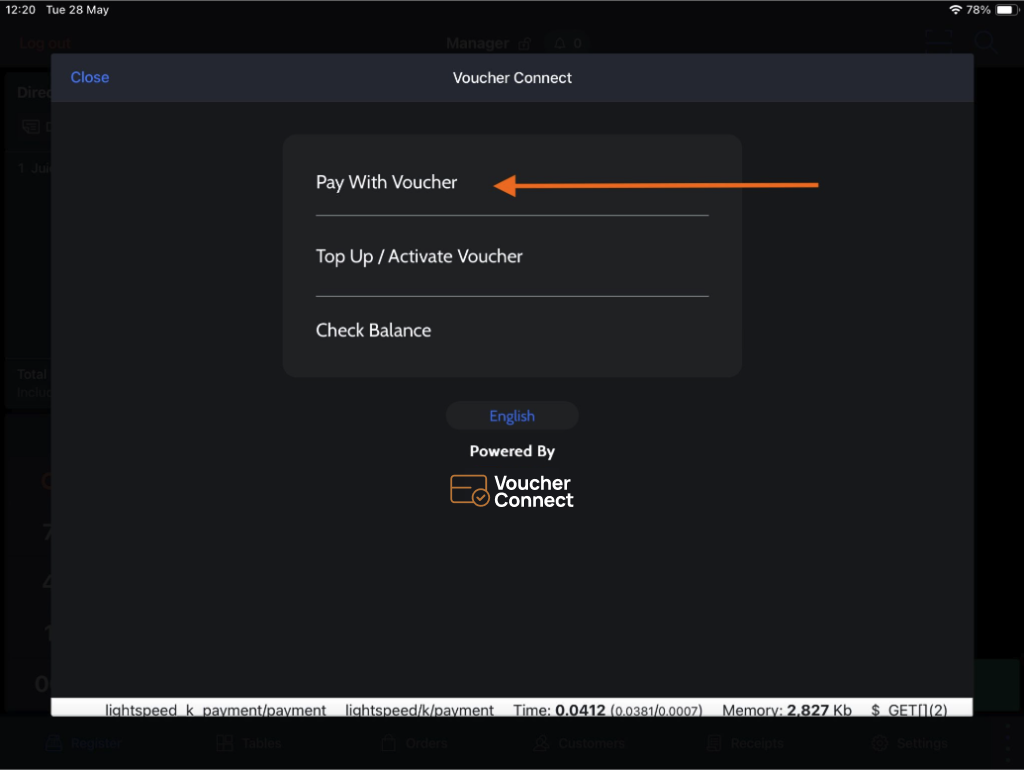
  • Select ‘Pay With Voucher’


Part C:

  • Scan QR Code – this will open the iPad camera. Simply scan the QR code on the Voucher to identify the Voucher details
    OR
  • Manually enter the Voucher Code
  • Select ‘Validate’


Part D:

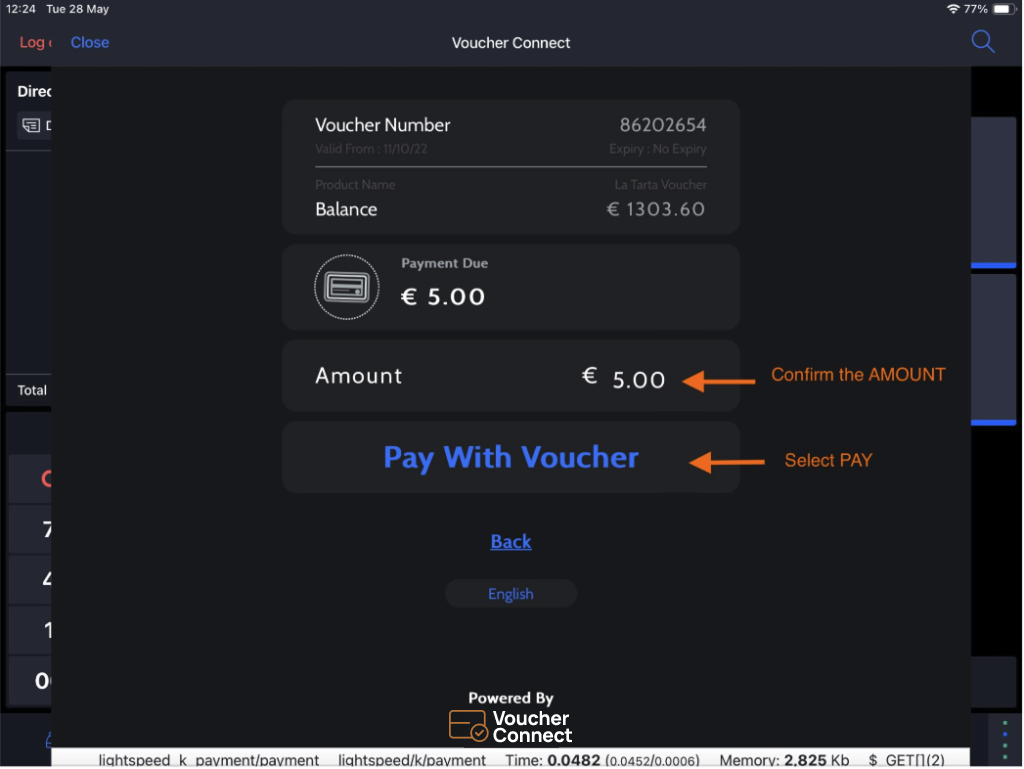
  • Confirm the payment amount by Gift Voucher – the integration will autopopulate with the the full bill amount OR the remaining balance on the Voucher if the bill is greater than the Gift Voucher balance.
  • Select ‘Pay With Voucher’


Part E:

  • Payment amount will be confirmed.


You have now Redeemed a Gift Voucher – congratulations! 

This payment will be recorded to Voucher Connect as a payment type in your Lightspeed reporting.


159 views

Activate Voucher Connect & Lightspeed K-Series Integration


Step 1:

Login to your Voucher Connect dashboard.
Go to Settings > General Settings > Integrations > Lightspeed (K-Series).

Lightspeed K--Series Integration with Voucher Connect

Lightspeed K--Series Integration with Voucher Connect


Lightspeed K Series X Voucher Connect Integration : Instructional

Step 2:

You will now receive an email with instructions to finalise your integration from your Lightspeed K-series Dashboard.

You should now be ready to redeem Voucher Connect vouchers from your Lightspeed K-Series integration 

If you do not receive your connection instructions or need additional assistance please contact us at [email protected].



175 views

Get A Demo

Leave your name, phone number and email address and we will be in touch to arrange a demo.

Boost revenue by 62% ?

The gift card solution that costs less and delivers more