How to Redeem in the Voucher Connect App 📱


Each voucher type will have a unique voucher code and QR code on it – this is what you will use to redeem it.

  • Download the Voucher Connect App
  • Use your Voucher Connect user account to log in to the app.
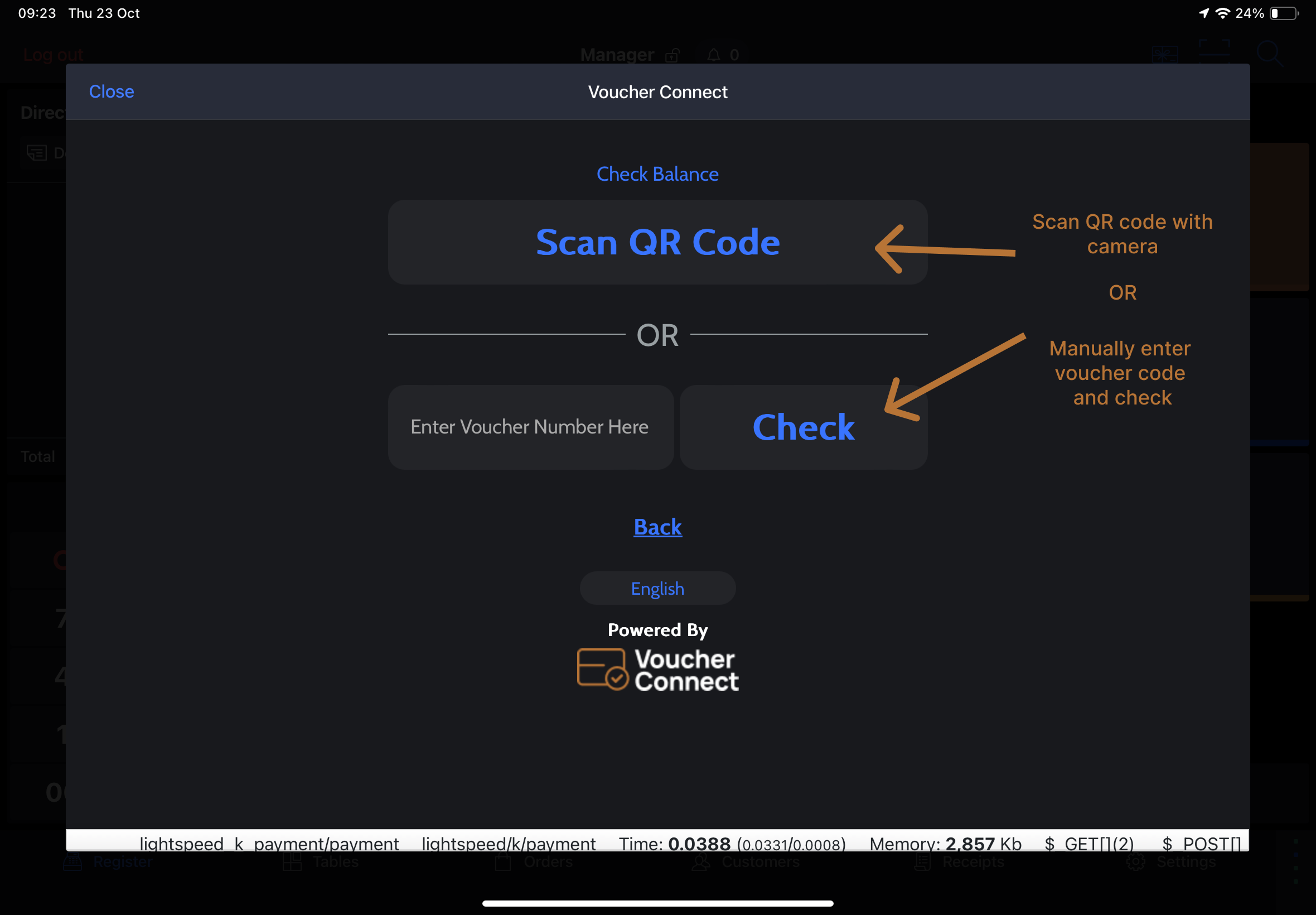
  • On the Redeem page, select Open Scanner. This will activate your camera for QR code scanning. You can also manually input the Voucher Code.
  • You will then be presented with the remaining balance left on the voucher.
  • Enter the redemption amount and click redeem.
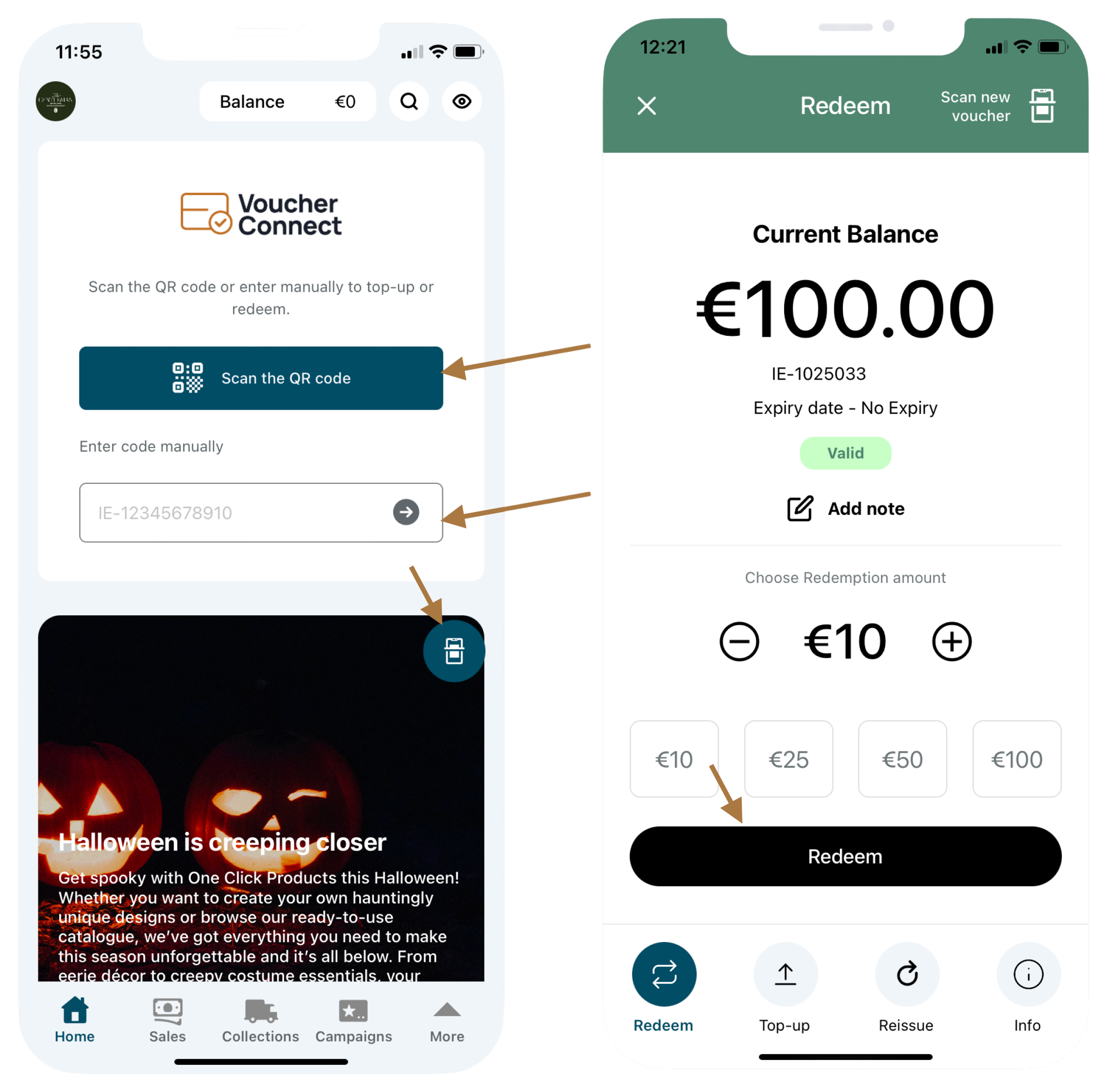


PS: The customer can redeem the voucher partially many times until the value hits zero, or if partial redemption is disabled on your product, the voucher can only be redeemed once in full.

That’s all there is to it. All redemption details will be safely stored on your Voucher Connect dashboard for you to view and manage.

As always, if you need a hand or have any questions, we’re always happy to help.
496 views

Reporting: Lightspeed (L-Series) transactions in the Voucher Connect office


Get detailed, drill down reporting for Voucher Connect transactions that have been processed via Lightspeed (L-series) integration.


In Lightspeed (L-Series):


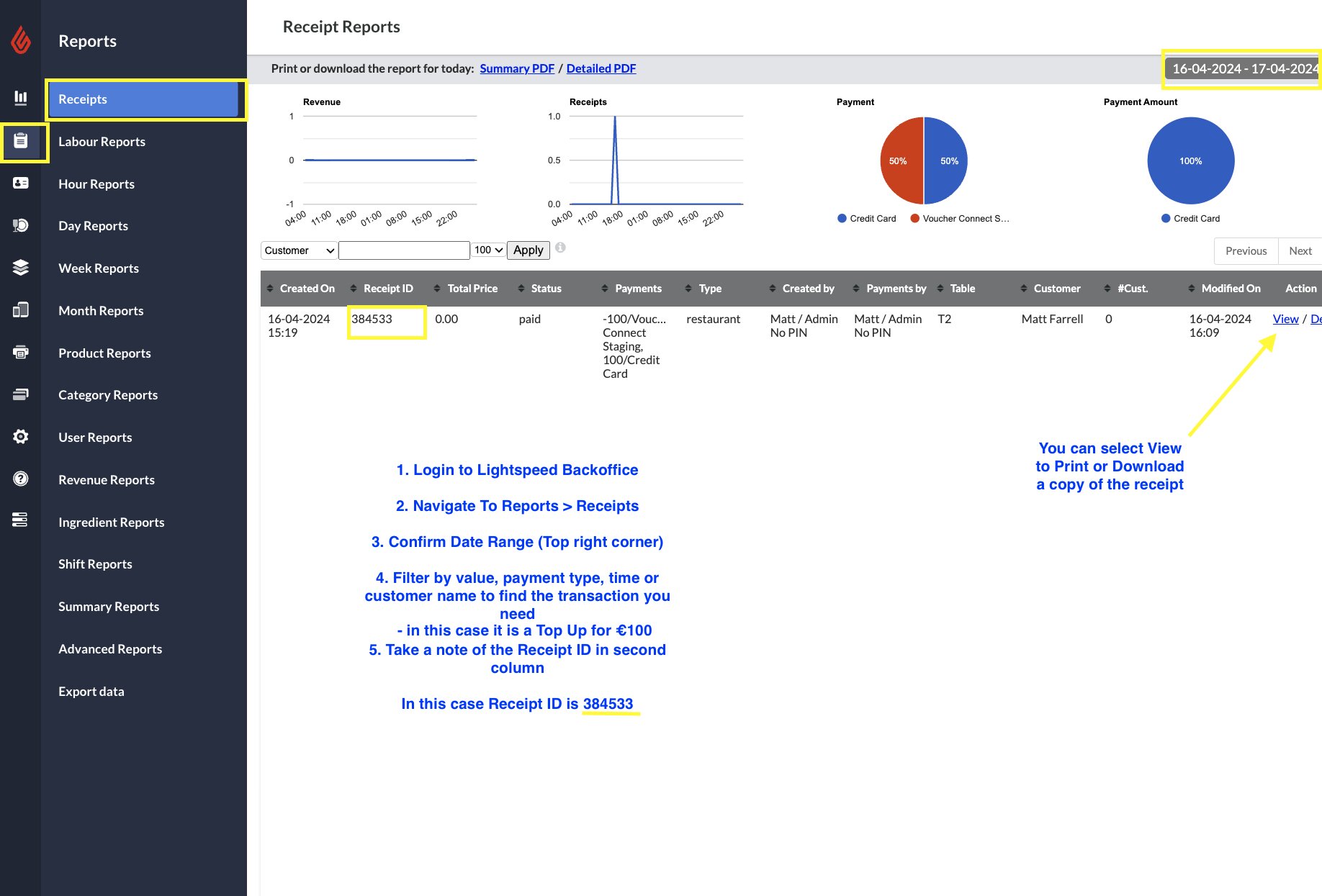
Login to your Lightspeed back office account on desktop.

Navigate to Reports > Receipts

From here you can filter by dates, payment types, values and more.

When you find the desired receipt you can print or download a copy by clicking View > Print on the right hand side of screen

Make a note of the Receipt ID for the receipt that you would like to examine further in the Voucher Connect reporting suite.


Voucher Connect reporting on desktop:


Login to your Voucher Connect dashboard.

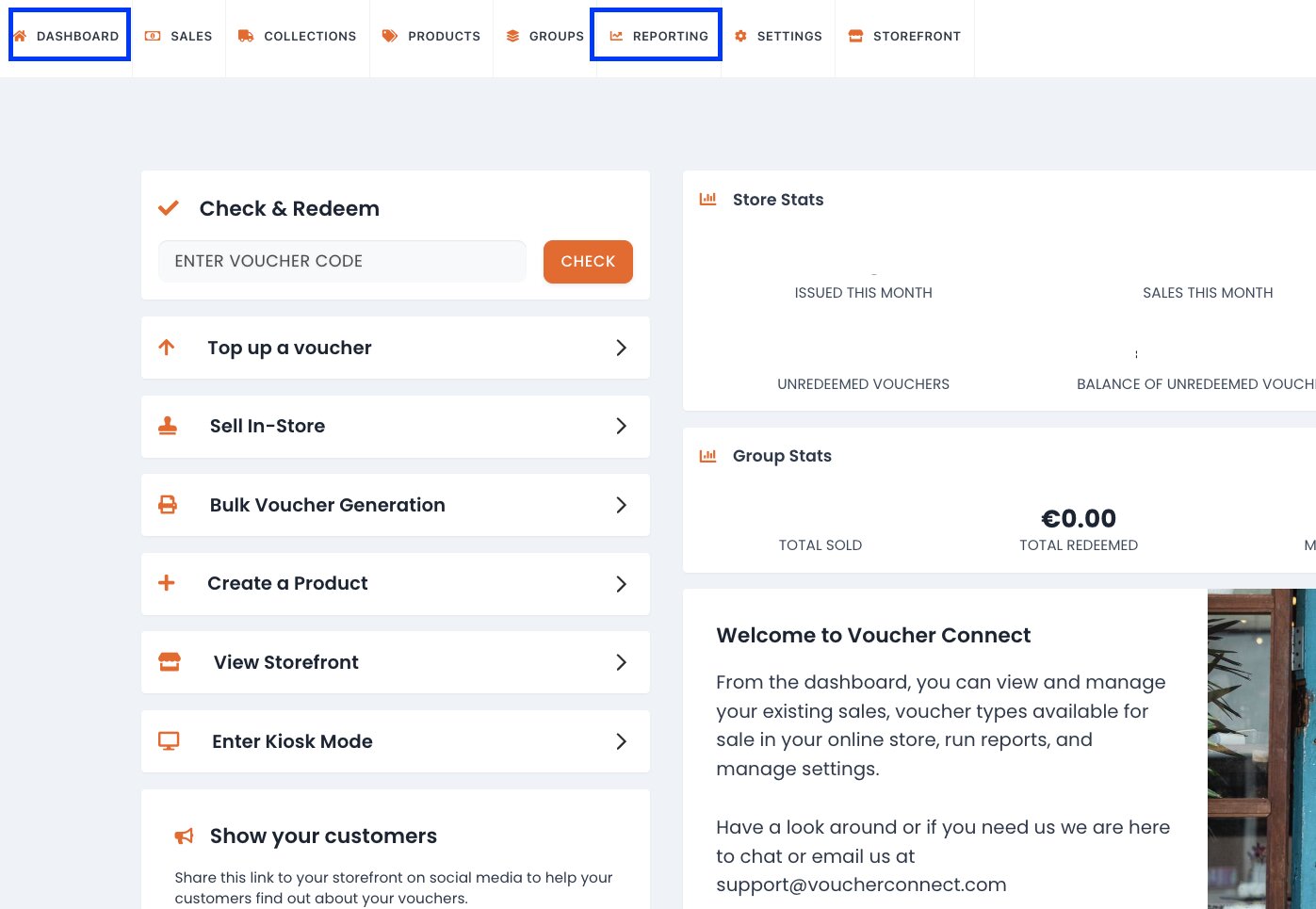
From dashboard select REPORTING on the top menu bar:

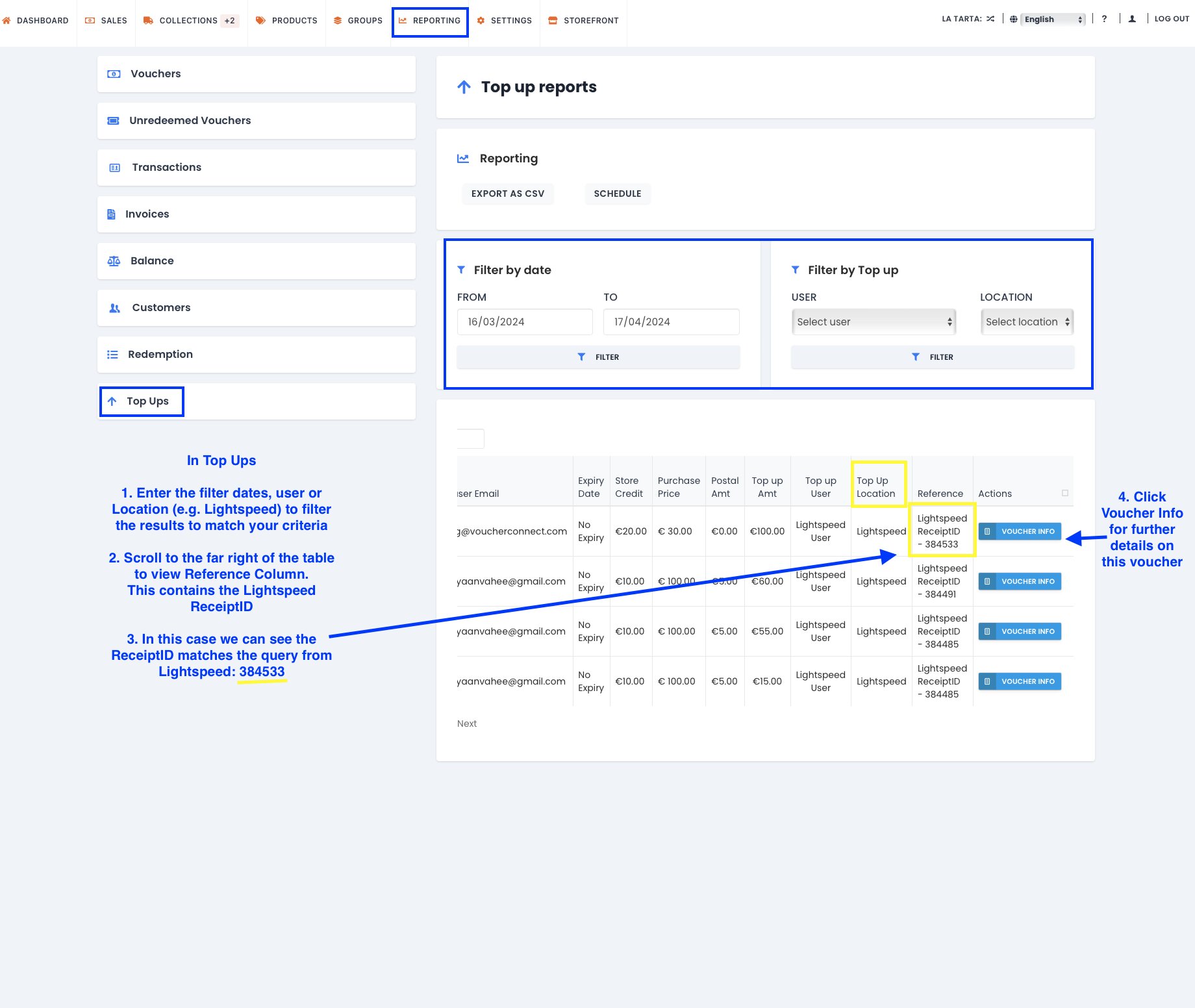
From left hand side menu bar in Reporting:

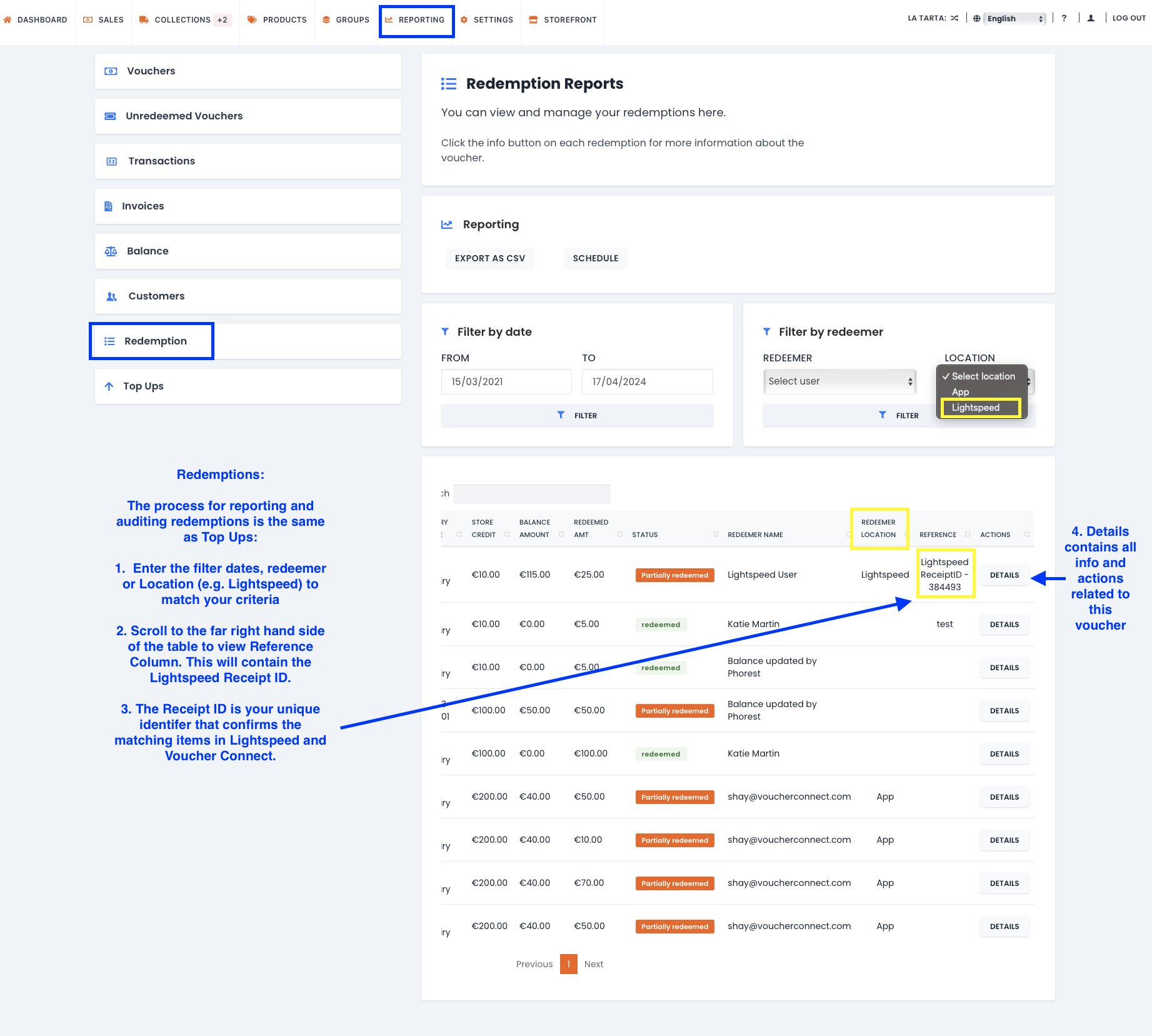
> For Voucher Connect payments made in Lightspeed select Redemptions.

> For Voucher Connect voucher sales made in Lightspeed select Top Ups.

Use the filters (date, location, user etc) to fit your criteria.

Reference column will contain the Lightspeed Receipt ID.

Click DETAILS to view ALL associated voucher transactions and actions.


65 views

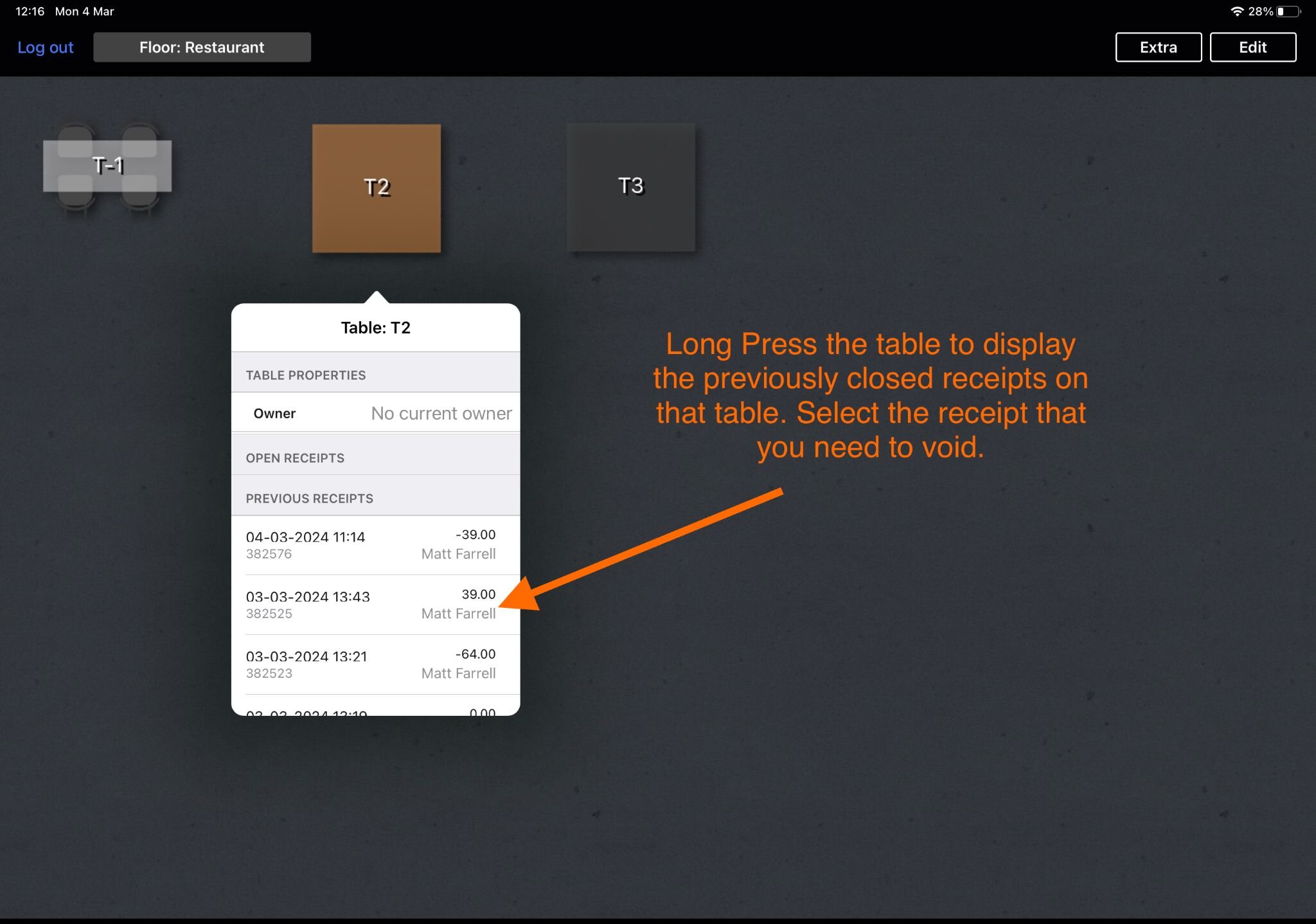
How to void a Voucher Connect transaction from Lightspeed (L-series)


Reversing Voucher Connect payments and voucher top ups / sales using our Lightspeed (L-Series) integration.

When you void a Voucher Connect payment or sale in Lightspeed (L-Series) we will undo the redemption / sale in Voucher Connect.

When a void occurs in Lightspeed the Voucher Connect account admin will receive a notification that a transaction was voided.

63 views

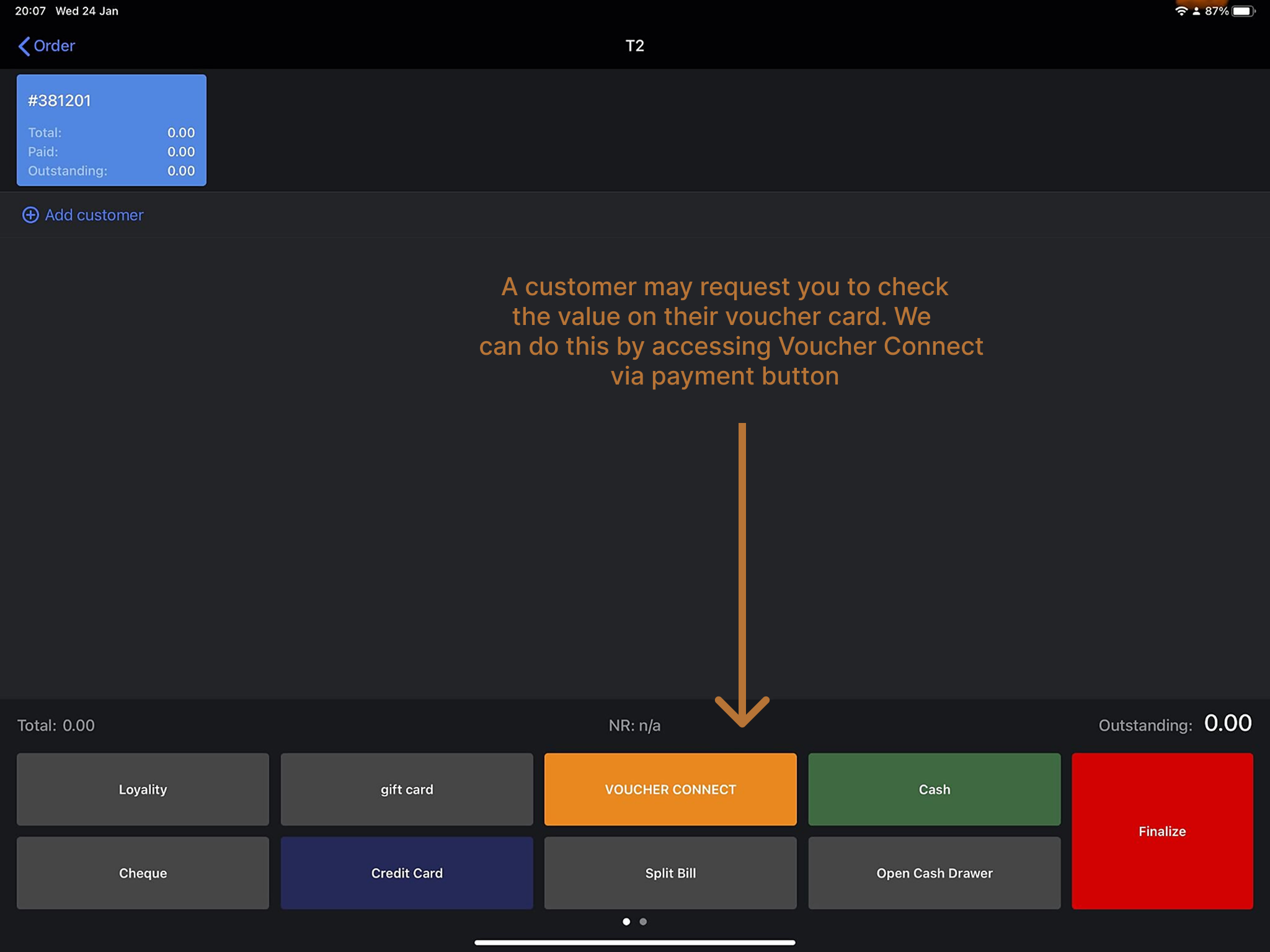
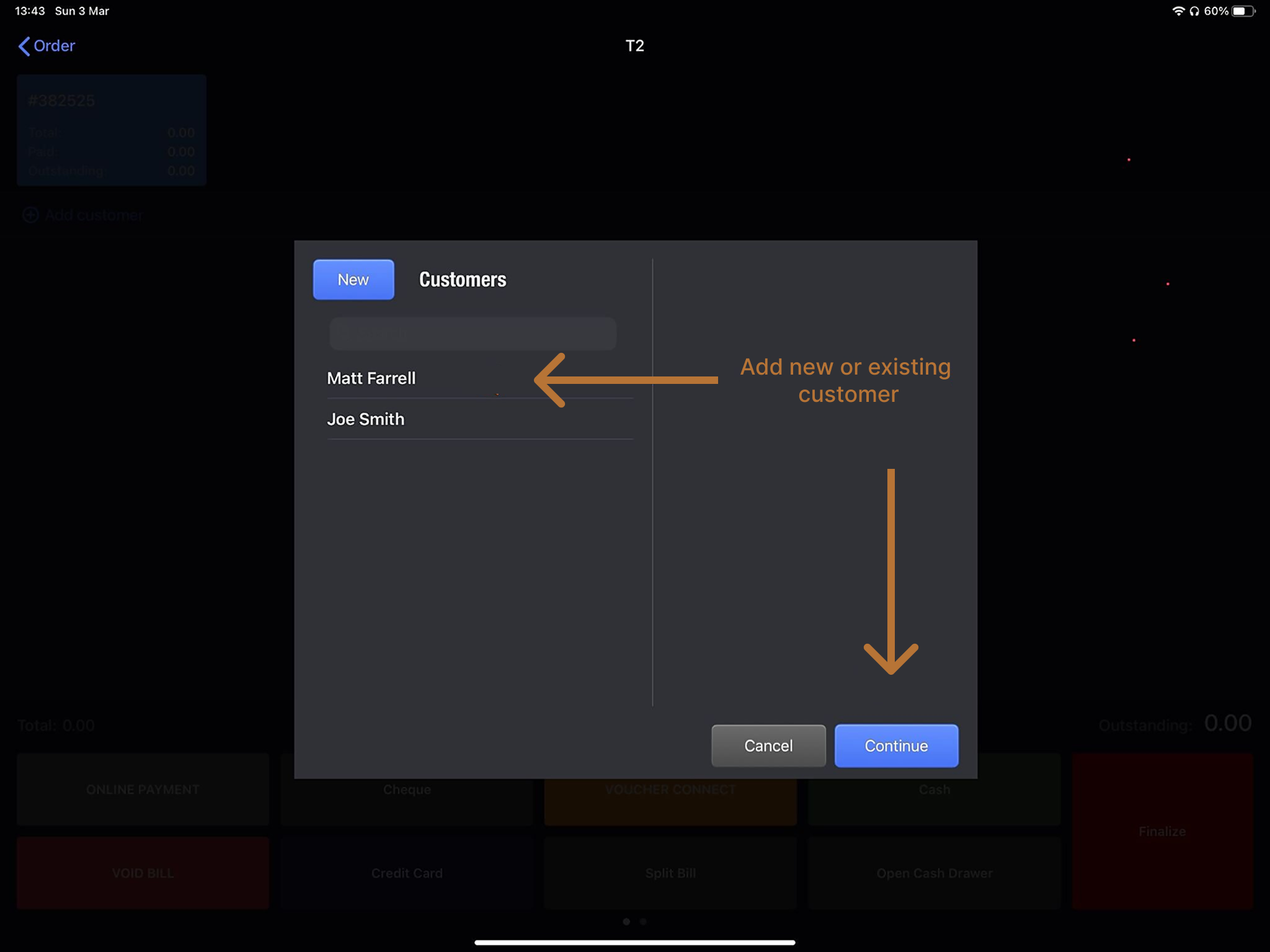
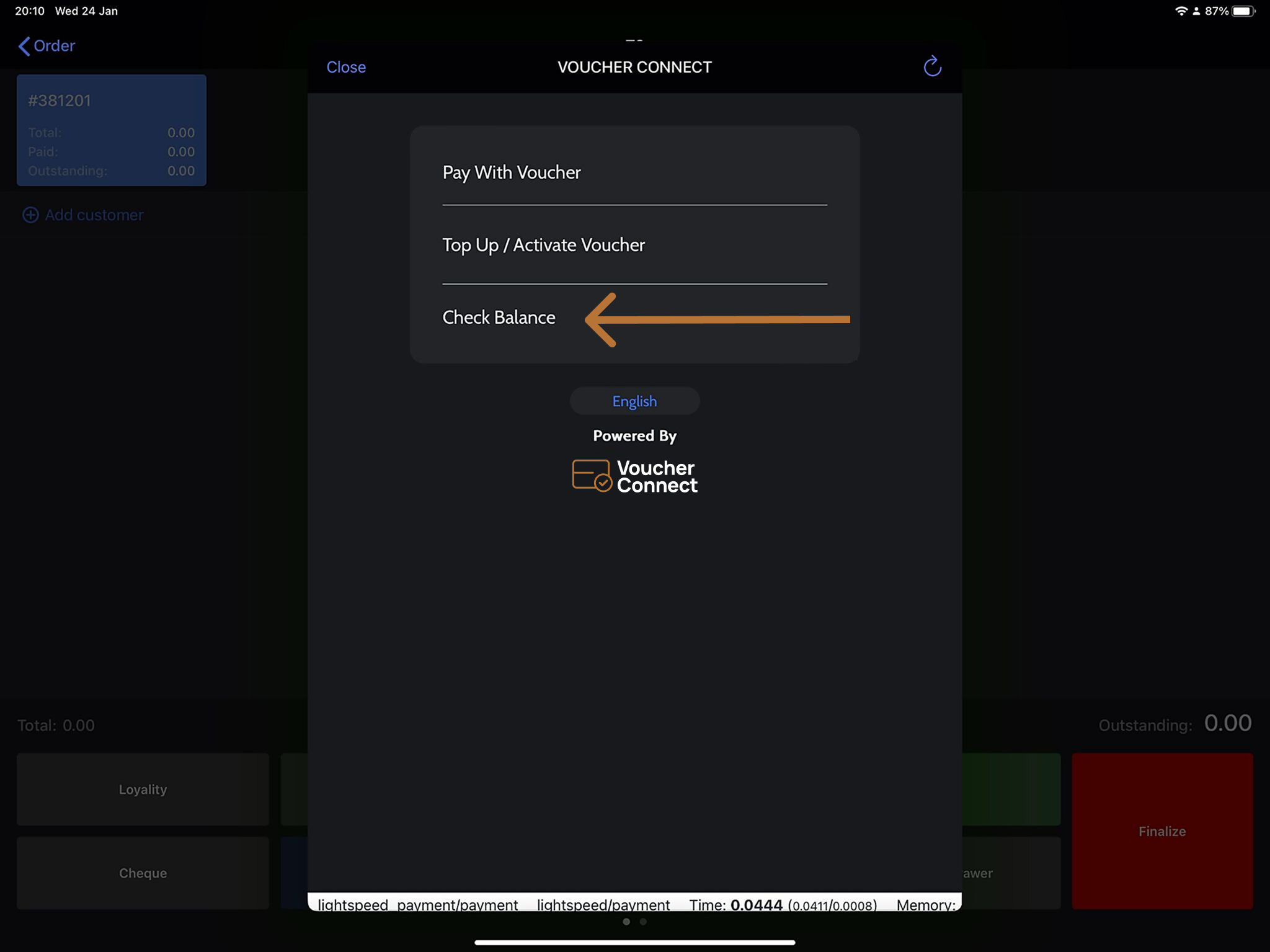
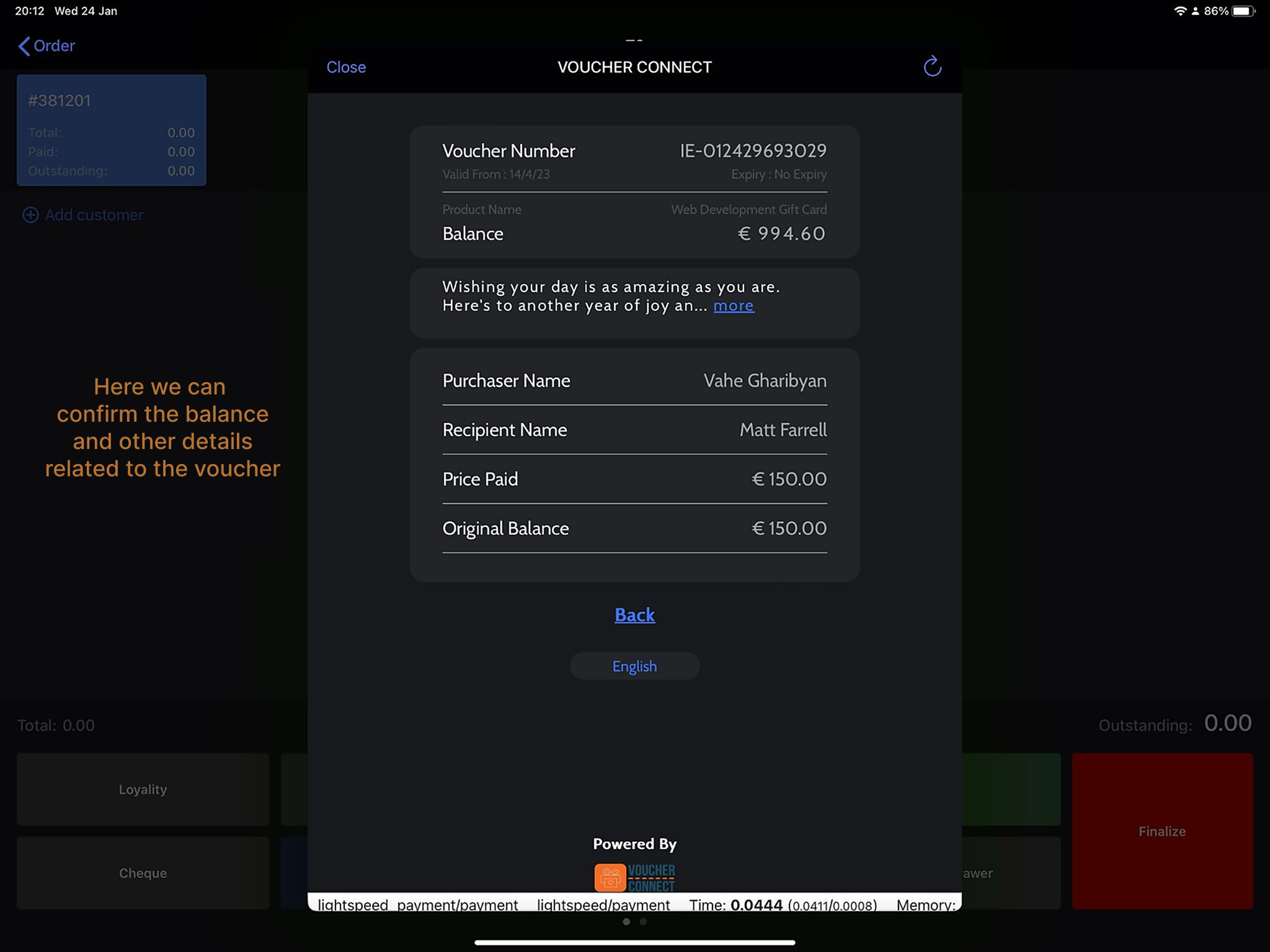
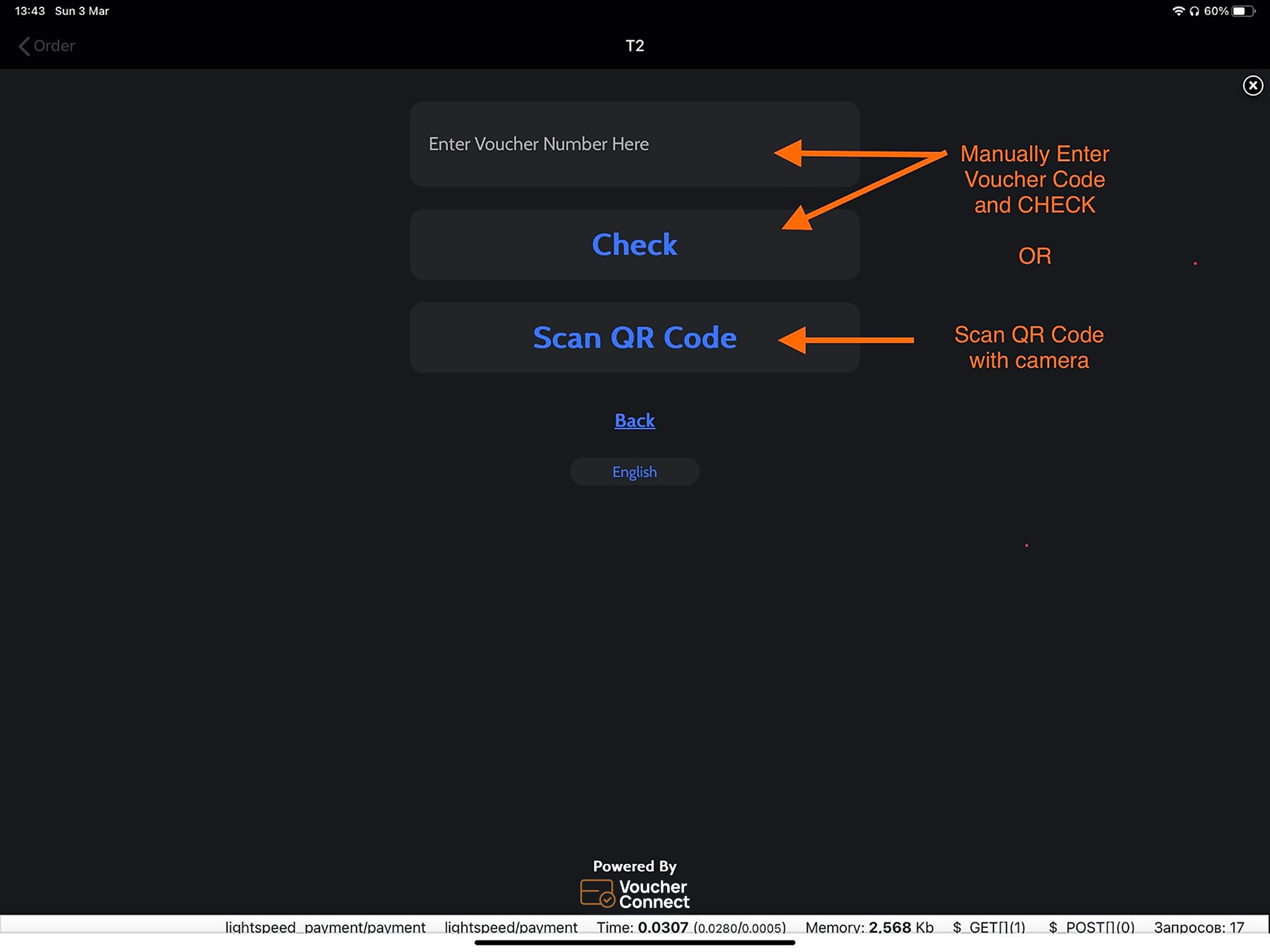
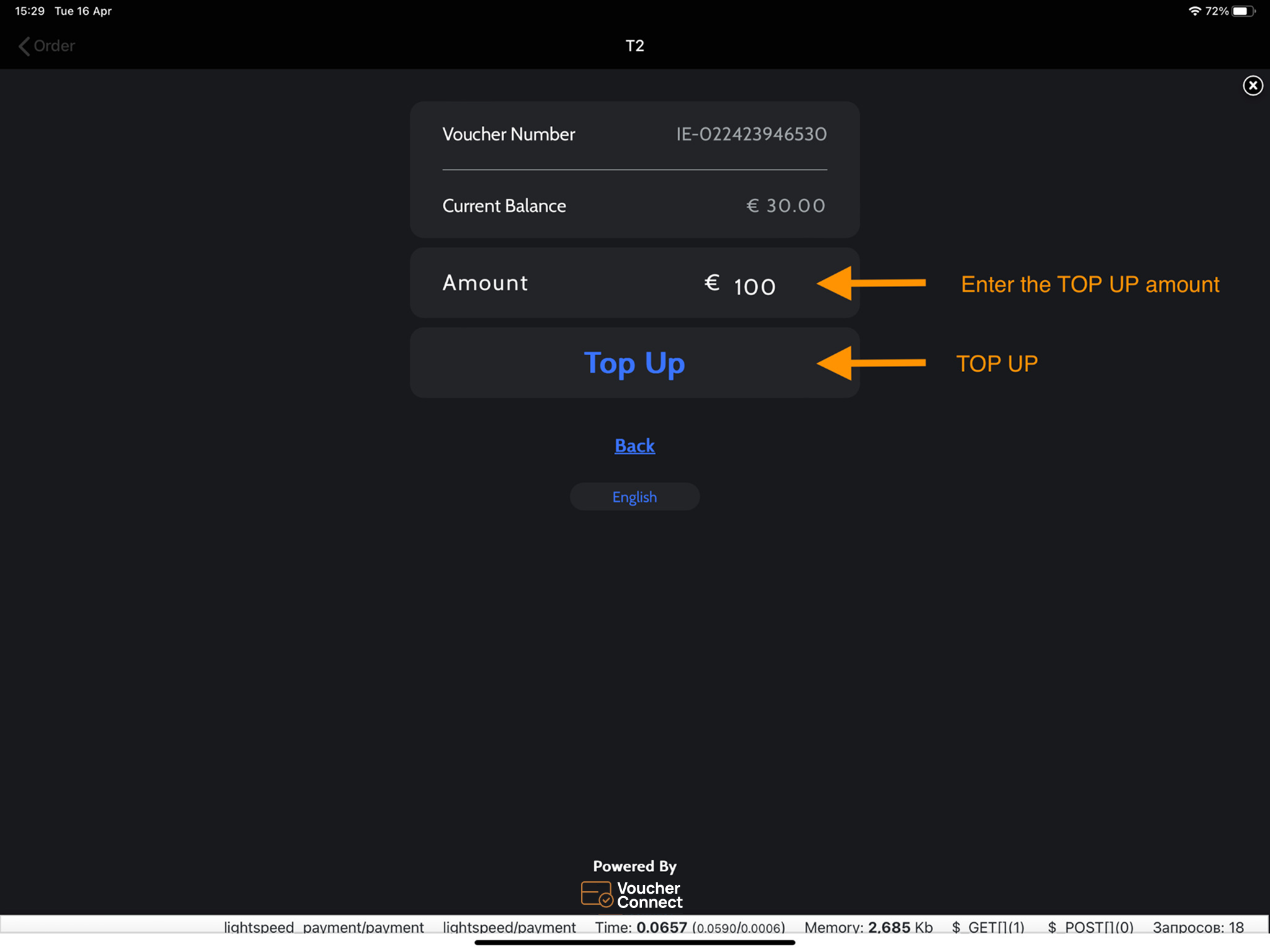
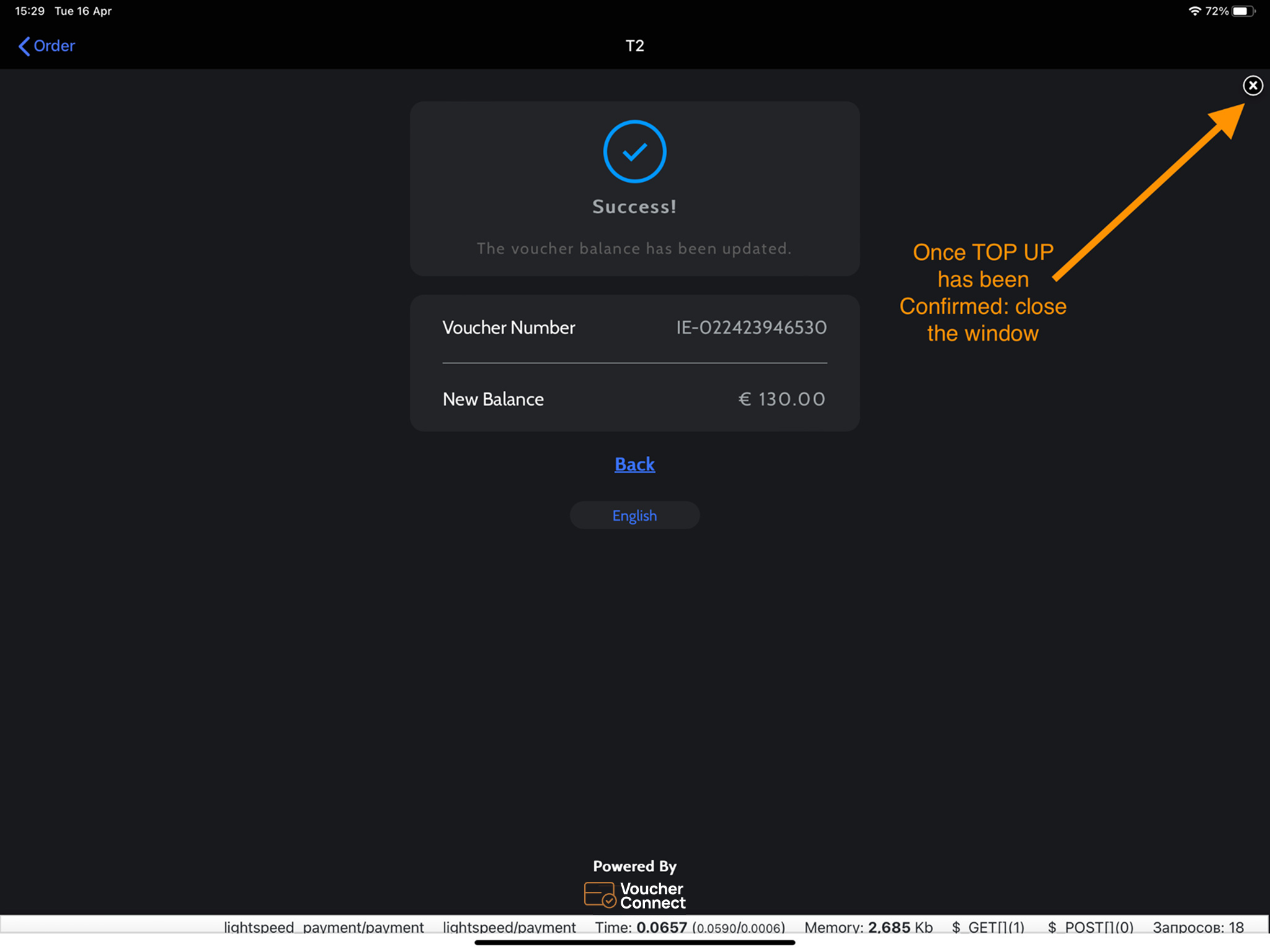
How to check voucher details in Lightspeed (L-Series)


102 views


69 views

Get A Demo

Leave your name, phone number and email address and we will be in touch to arrange a demo.

Boost revenue by 62% ?

The gift card solution that costs less and delivers more